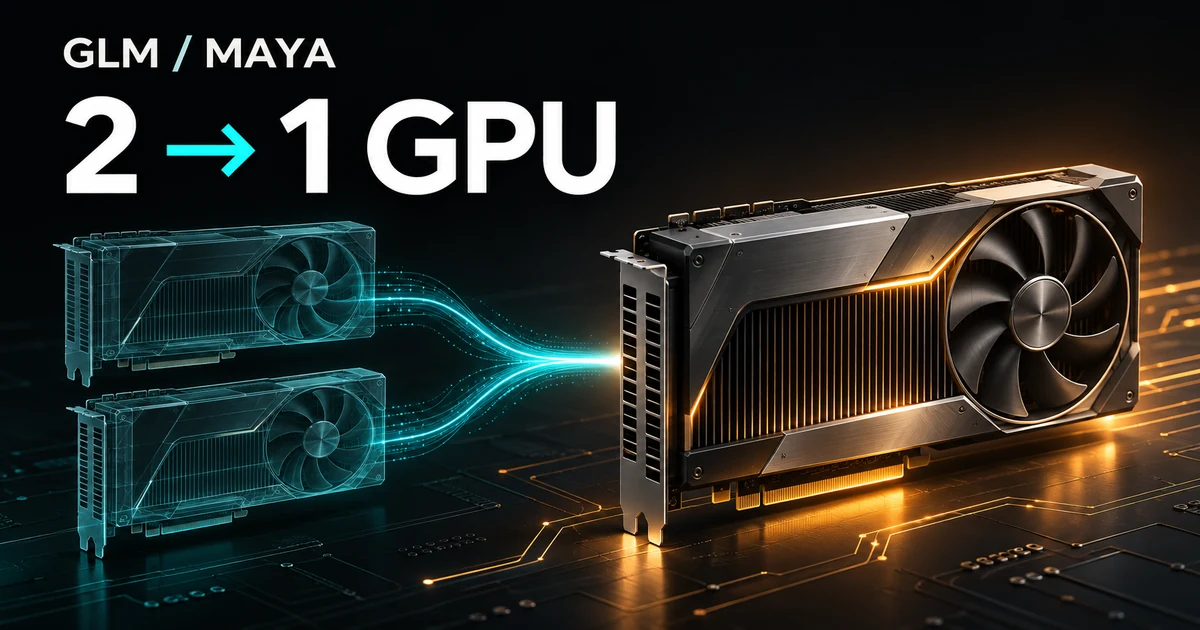
What surprised me most
GLM-5.3-Flash, the model behind my production character chat, used to run across two 96 GB GPUs. Image generation shared the same machine, so operating the service meant keeping an eye on placement and available GPU memory.
With Project Maya, I could run the LLM on one GPU. The quantization method changed, but using the chat did not feel slower in practice. A fixed short-generation test with LoRA also reached about 72 tokens/s.
That was the biggest surprise.
Research and implementation advances had expanded what I could do with the same hardware. GPU capacity previously occupied by the LLM became available for image generation and future experiments, giving the product more room to grow.
This article follows that surprise through LoRA support, conversation caching, application integration, and the production switch. The measurements were taken on November 15–16, 2026.
The starting point: an LLM spanning two cards
I am building a service for text and voice conversations with characters. The LLM returns structured data containing speech, narration, and speaker information. The app also handles image input and generation.
The machine used for this work had the following configuration.
| Component | Configuration |
|---|---|
| CPU | Ryzen 7 9700X |
| Host RAM | About 60 GiB visible to the OS |
| GPUs | Two RTX PRO 6000 Blackwell Max-Q cards, 96 GB each |
| GPU0 connection | CPU-connected PCIe x16 |
| GPU1 connection | PCIe x2 |
| Storage | NVMe SSD |
Before the migration, llama.cpp ran the UD-Q3_K_XL quantization of GLM-5.3-Flash, splitting its weights across both GPUs. HiDream image generation shared GPU0. Voice services had already moved to a separate machine.
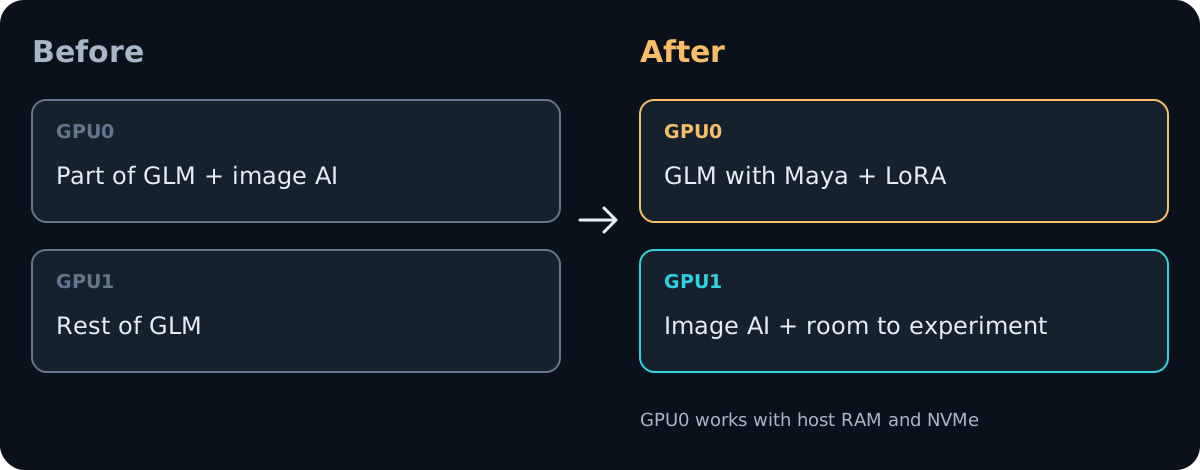
When the LLM occupied both cards, changing the image stack or evaluating another model also required thinking about its placement alongside the LLM. Separating those roles would make future development easier.
Making one GPU work with VRAM and RAM
I used Project Maya, pinned to v1.1.63 with source base 7e68a30f2f208056195352129188661fb6b94445. The model was Maya-M IQ2_S from the Maya GLM-5.3-Flash repository.
Maya can distribute a mixture-of-experts model's experts across GPU memory, RAM, and NVMe. Here, “one GPU” means inference using one GPU together with host RAM and NVMe.
The engine logs showed about 6.86 GiB of dense weights in VRAM, an 83.61 GiB GPU expert pool, and a 19.87 GiB expert tier in RAM. Peak GPU memory use was about 93 GiB. In one set of tests, expert disk reads during inference stayed at zero: the RAM tier supplied the experts that needed transferring. Startup model loading and conversation-cache I/O still occurred separately.
This was also why I chose GPU0. Transfers from host RAM benefited from its wider x16 connection.
The foundation came from the people developing GLM and Project Maya. Maya is led by Peasant Smith. Being able to test those publicly available models and implementations on my own machine, then put them into a real service, made their value tangible.
How fast was it?
Speed was the first surprise. There were, however, several changes between the two configurations.
| Item | Before | After |
|---|---|---|
| Inference engine | llama.cpp | Maya with local patches |
| Quantization | UD-Q3_K_XL | Maya-M IQ2_S |
| GPUs used by the LLM | 2 | 1 |
| Concurrent generation slots | 4 | 2 |
| Context capacity | 256K shared, up to 128K per slot | 128K per slot |
My impression that chat had not become noticeably slower should be kept separate from fixed-condition benchmark results.
After implementing LoRA support, I tested greedy generation of 128 tokens from the same short prompt. Each condition had one warm-up and two measured runs; the table shows the measured median. MTP acceleration was disabled.
| Condition | Generation speed |
|---|---|
| Maya, no LoRA | 72.85 tok/s |
| Maya, LoRA scale 0.5 | 72.0 tok/s |
| Maya, LoRA scale 1 | 71.6 tok/s |
This checked that adding LoRA on Maya did not substantially reduce short-generation throughput in this test. It was not a controlled before-and-after comparison with the old engine, nor proof that conversation quality stayed equivalent after changing quantization.
I also tested long inputs. Reading a synthetic conversation of roughly 64K tokens with LoRA took about 24.9 seconds before the first answer content. Continuing that conversation reused roughly 64K tokens and started content in about 0.17 seconds. A separate input of roughly 128K tokens, without LoRA, took about 52.5 seconds cold and 0.17 seconds on continuation.
Cold long-input processing and continuing a cached conversation have very different waiting times. That distinction matters to service operation alongside short-generation throughput.
What production character chat needed
The normal chat path required LoRA, image input, structured output, and streaming.
I first added the existing LoRA adapter to Maya's inference path. This implementation supports rank-one corrections on attention outputs and shared experts, covering the 38 targets in my adapter. It is scoped to that adapter rather than being general support for every LoRA.
The scale can change per request, allowing ordinary and LoRA-enabled conversations to run together. Cache matching also includes the scale so that a state created under one setting is not reused for a conversation under another.
I then added grammar constraints for structured output. The app extracts speech and narration from returned JSON, so malformed JSON can affect the conversation display. When the model reasons, the grammar starts after reasoning ends, and answer content streams incrementally.
LoRA, grammar constraints, the conversation archive described below, and per-request thinking budgets include additions made for this environment. The results here come from the pinned Maya version with those patches applied.
Splitting conversation caching between RAM and NVMe
Saving state when switching conversations was another concern.
Reprocessing a long conversation from the beginning every time increases latency. Saving its inference state makes it possible to reuse that work when the conversation resumes.
I kept recent states in RAM and moved older ones to NVMe. The production budgets are 10 GiB of RAM and 64 GiB of NVMe. These are conversation-state budgets, separate from the expert RAM cache.
Saving waits for GPU work to finish and captures the state in host memory. A separate thread then writes that immutable snapshot to NVMe. GPU synchronization and memory copies remain synchronous, as do cold restore reads from NVMe.
This part of the investigation also changed an early hypothesis.
I had seen a state-save record of about 2.2 seconds and a maximum answer-stream gap of about 3.36 seconds. When I measured the stages separately, saving a roughly 128K-token state took about 0.2 seconds, and the earlier large delay did not recur.
With the same synthetic inputs, the maximum answer-stream gap was 1.330 seconds for the previous disk scheme and 1.308 seconds for RAM plus NVMe. There was one run per configuration, so this difference does not establish a major speedup.
In a test with 76 conversations that exceeded the RAM budget, ordinary and LoRA-enabled conversations restored successfully from both RAM and NVMe. Recent conversations restored from RAM began answer content in about 0.16–0.17 seconds. Restoring a roughly 128K-token state from NVMe took about 0.745 seconds before answer content.
This cache does not survive a process restart. The application stores conversation history in its database; the inference states are discarded when the process ends.
Switching production
I kept the backend's existing API address and model name. A compatibility API listens on the original port and forwards requests to Maya. It translates schema requests, passes LoRA settings through, and handles old cache options that Maya does not implement.
Maya runs on GPU0, with image generation on GPU1. Binaries and Python code are copied into a fixed release and supervised by systemd. The production API opens after the engine becomes ready, and the previous llama.cpp configuration remains available for rollback.
During the switch, I hit a case where reset-failed returned an error for a stopped unit, and another where Maya's CLI default port took precedence over the configuration file. The latter was fixed by explicitly passing the port at startup. I should have caught these in a service-level rehearsal.
For the final application check, I exercised the real chat routes with a dedicated account in the dev database. All six turns passed the structured-output checks, with streaming and conversation-history reuse also working.
Concurrent image generation and chat passed too. The image output was 2048×2048 at 12 steps, taking about 7.9 seconds with peak image-side allocation of about 13.0 GiB. Maya correctly identified a red cup in the generated image. This check did not evaluate image quality or generation time at 50 steps.
The configuration is saved in the automatic startup path as well. At the time of writing, a full-machine reboot test and long-running operation remain to be verified.
One GPU for inference creates room for the next experiment
GPU1 now runs image generation, with capacity freed from the LLM's previous permanent allocation.
For an independent developer, that is a meaningful change.
Evaluating another model, changing the image stack, trying auxiliary inference: there are more options when planning those experiments. Many are still ideas, but one constraint on future product development has eased.
These results belong to this model, quantization, and configuration on a 96 GB GPU with roughly 60 GiB of host RAM. Reproducing them on other GPUs, evaluating every character's quality, measuring latency under congestion, and combining a full archive with image-generation load all require further testing.
Still, this is a concrete example for people building services around local LLMs and working within GPU constraints. Model names and GPU counts become more useful adoption criteria when accompanied by RAM use, cold long-input latency, conversation caching, and the APIs the application needs.
Progress in research and implementation became something I could build next on the machine I already owned. That is what made this project so satisfying.