TL;DR
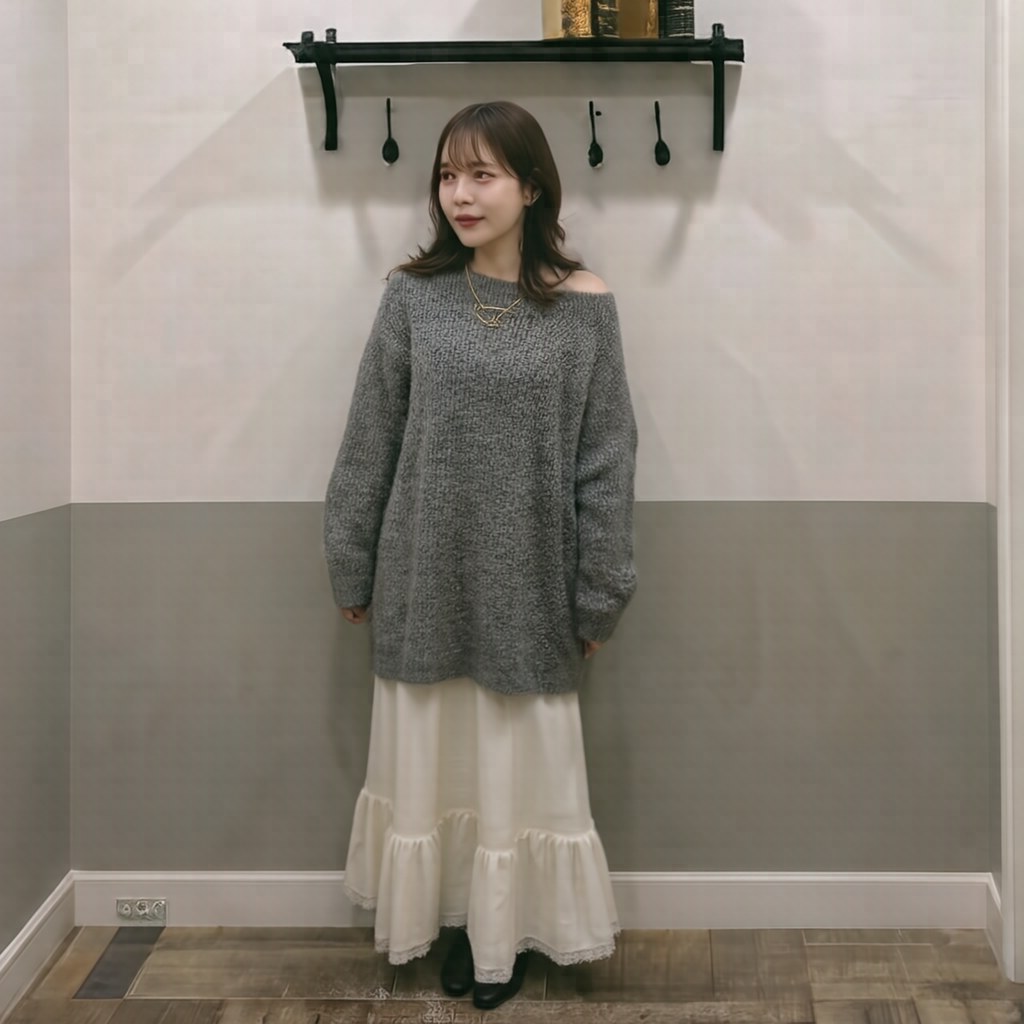
After benchmarking HiDream-O1-Image (released 2026-05, OpenWeight 8B, ranked #8 on Artificial Analysis Text-to-Image Arena) across 8 skeleton (try-on) mode patterns plus 3 layout patterns, three counterintuitive findings emerged.
- Passing an openpose ref actually locks the pose to the ref's composition. When you want dynamic poses, dropping the openpose ref and specifying the pose via prompt is more effective.
- Using 6 refs (face + bg + pose + parts, the full set) compresses each ref down to 768px, degrading fine details. Keeping it to 3–4 refs maintains 1024px and produces better quality.
- The README-recommended
shift=1.0is strictly for try-on use. For pose/outfit swaps useshift=2.0-2.5; for complete scene replacement useshift=3.0.
Reading pipeline.py reveals that there is no dedicated code path for skeleton mode. Both /generate/skeleton and /generate/ip go through exactly the same multi-ref pipeline internally, and whether a ref is a face, background, openpose, or clothing is communicated only through the prompt. That's the root cause of everything.
Motivation
After running HiDream-O1-Image on a local GPU (RTX PRO 6000 Blackwell, 96 GB) and integrating it into our own platform, we hit a problem: skeleton (try-on) mode wasn't following prompt instructions. Writing "jump with both hands raised" only produced stiff, upright try-on photos.
Suspecting guardrails (NSFW filters, safety policies, etc.), I grepped for safety|nsfw|guard|filter|moderate|censor — HiDream's codebase has none of that (the only hit was CSS backdrop-filter: blur). As expected from an MIT-licensed OpenWeight model, no censorship.
So what's actually wrong? Here's what I found after reading pipeline.py and running 8 + 3 patterns on real hardware.
Environment
- GPU: NVIDIA RTX PRO 6000 Blackwell Max-Q (96 GB VRAM)
- PyTorch: 2.12.0 + CUDA 13.0
- flash-attn: 2.8.3 (sm_120-only build)
- Model: HiDream-O1-Image Full (8B, bf16, ~16.4 GiB resident)
- Inference server: custom Python BaseHTTPRequestHandler (port 8895)
- Resolution: pipeline internal bucket forces snap to 2048×2048
Measured wall time per 50-step generation:
| Mode | Time | iter speed |
|---|---|---|
| t2i (no ref) | ~33s | 1.52 it/s |
| edit (1 ref) | ~76s | 1.01 it/s |
| skeleton (multi ref) | ~84s | 1.34 it/s |
| ip (multi ref) | ~76s | 1.81 it/s |
| layout (multi ref + bbox) | ~83s | 1.21 it/s |
Test Assets
The HiDream repo's assets/IP_skeleton/ includes a full skeleton set. These are used as-is for all tests.
| ref | Content | Intended role |
|---|---|---|
 | Person's face photo | Identity reference |
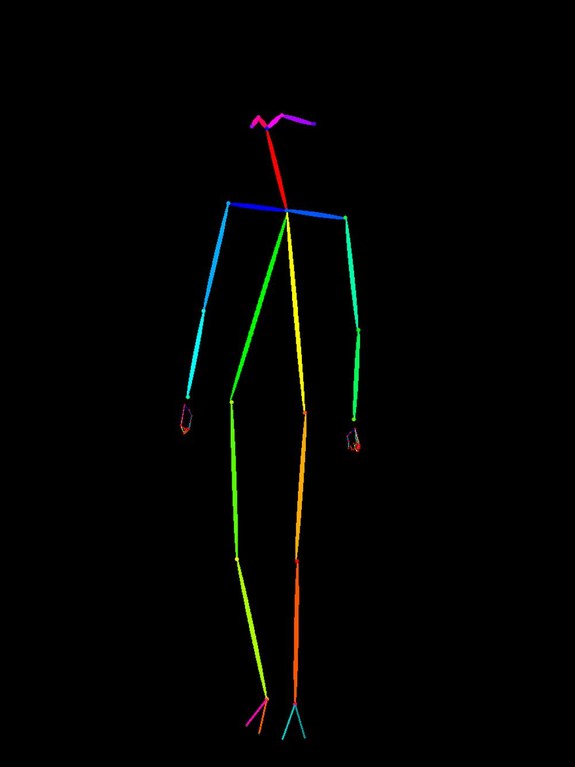 | Stick figure in OpenPose format | Pose specification |
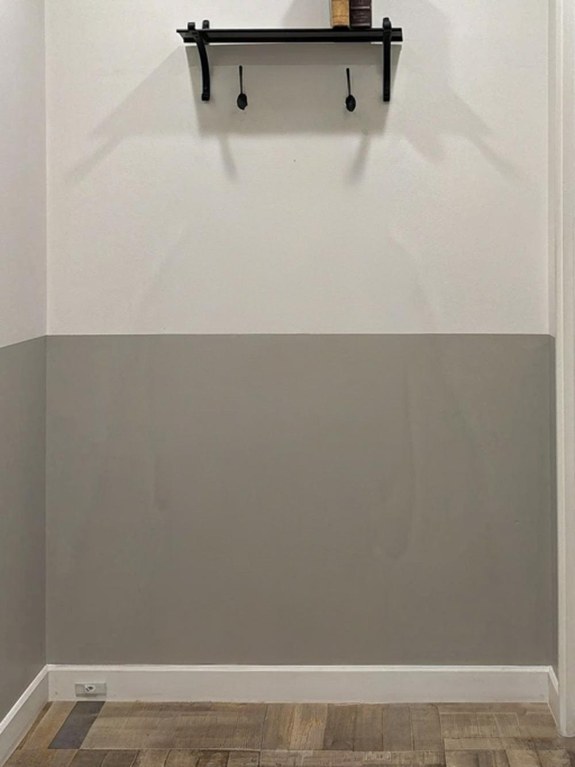 | Background photo (interior) | Scene reference |
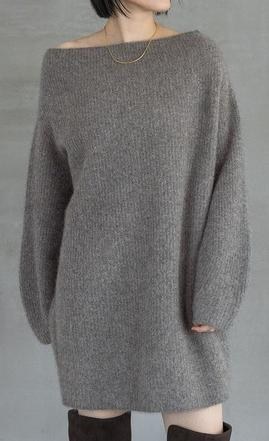 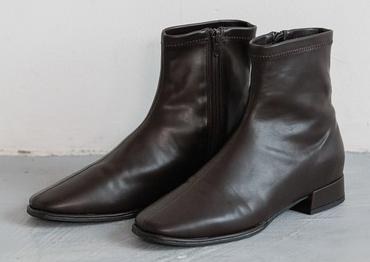 | Clothing parts (sweater, boots) | Outfit reference |
8-Pattern Skeleton Benchmark
Each pattern calls /api/studio/skeleton (i.e., generate_image() with skeleton-mode-equivalent arguments). All parameters except shift and guidance_scale are fixed (50 steps, seed=42).
A — Baseline (README defaults, all 6 refs)
curl -X POST http://localhost:8895/generate/skeleton \
  -H 'Content-Type: application/json' \
  -d '{
    "prompt": "Create a realistic try-on image of the person wearing the provided clothing.",
    "ref_image_paths": ["face","bg","openpose","part_1","part_2","part_3"],
    "shift": 1.0, "seed": 42
  }'

Result: The bg ref's walls and shelves are reproduced exactly. Pose also matches the openpose ref's upright stance. Faithful as a try-on, but zero freedom of movement.
B — Higher shift (same 6 refs, shift=2.5)
curl -X POST http://localhost:8895/generate/skeleton -d '{
  "prompt": "Create a realistic try-on image of the person wearing the provided clothing.",
  "ref_image_paths": ["face","bg","openpose","part_1","part_2","part_3"],
  "shift": 2.5, "seed": 42
}'
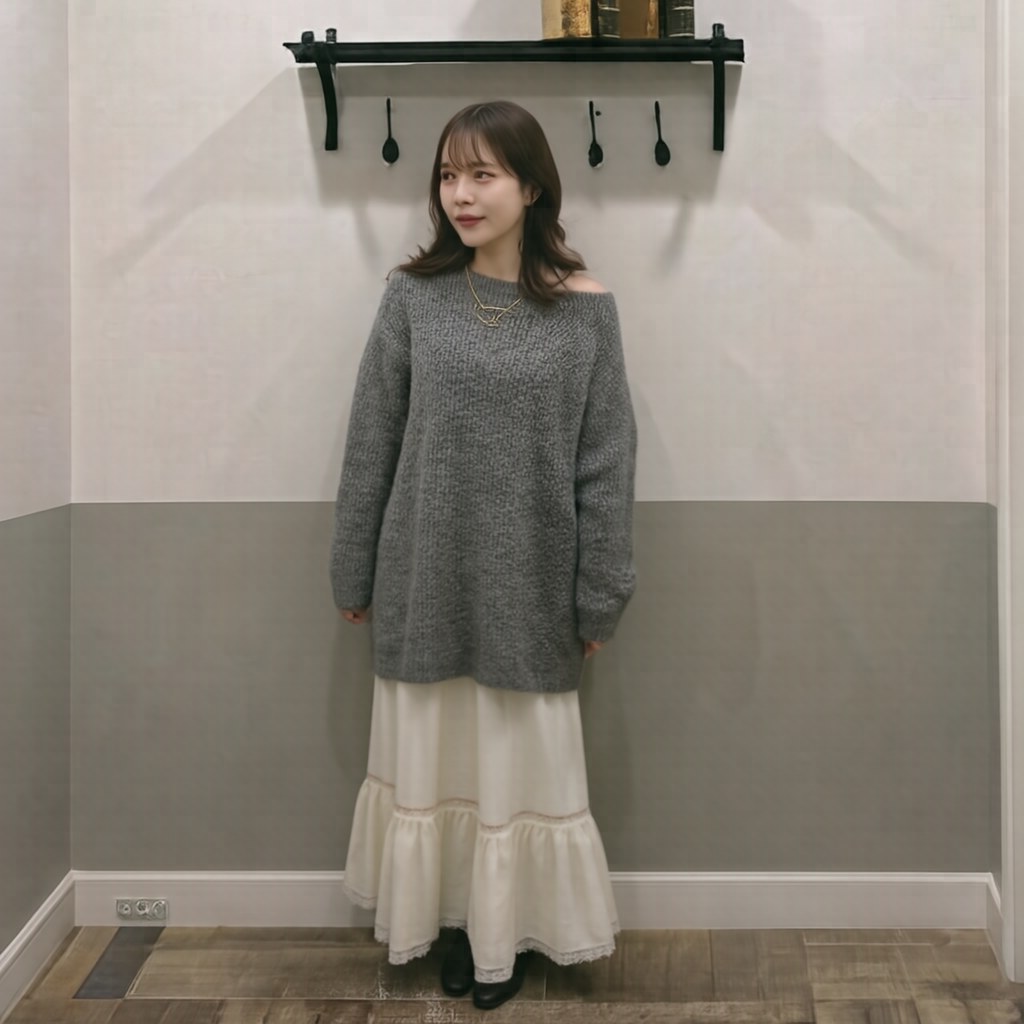
Result: Shelves fade slightly, character design shifts a bit. Background still sticks to the bg ref. Raising shift alone can't fully break the bg ref's pull.
C — Raise guidance too (shift=2.5, guidance=7.0)
curl -X POST http://localhost:8895/generate/skeleton -d '{
  "prompt": "...",
  "ref_image_paths": [...6 refs...],
  "shift": 2.5, "guidance_scale": 7.0, "seed": 42
}'
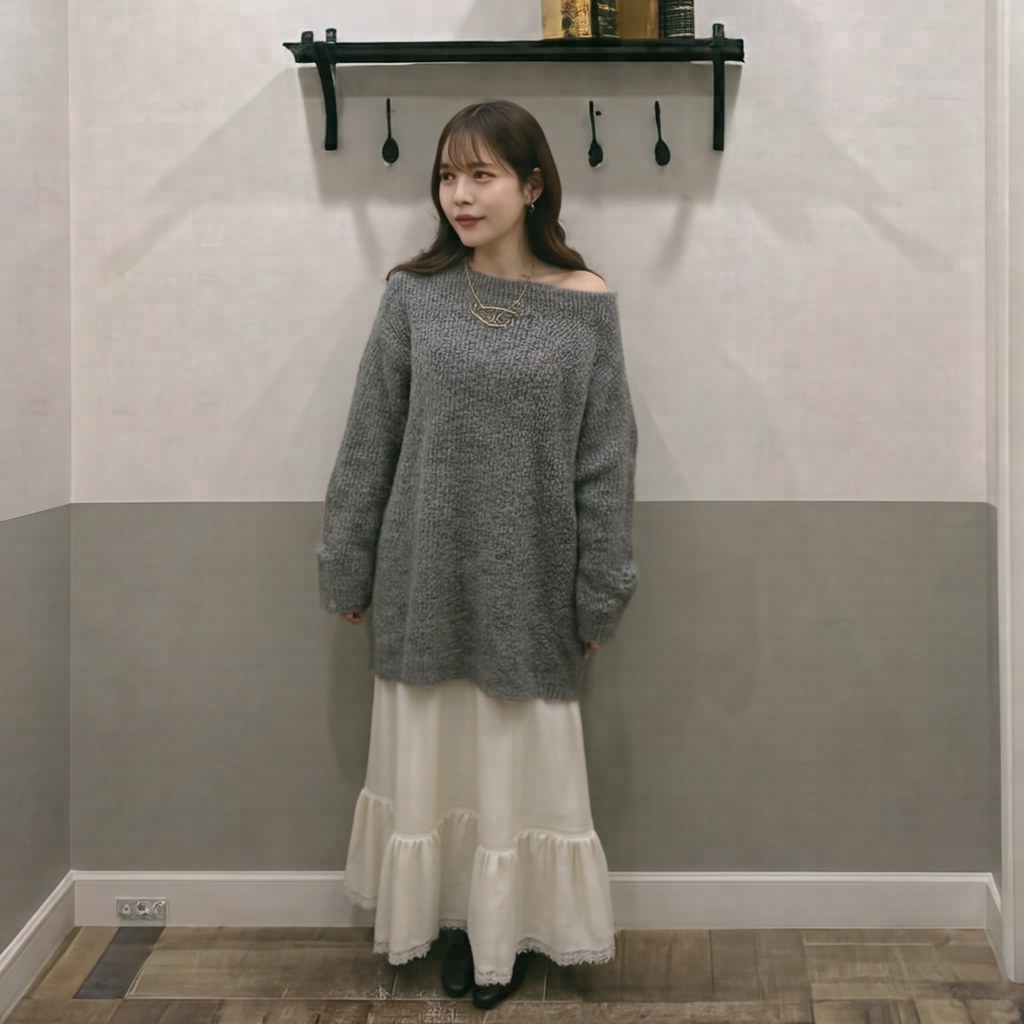
Result: Necklace deforms strangely. Raising guidance starts producing artifacts. The Full model's sweet spot is 5.0; 7.0 is too much.
D — Trim to 3 refs (face + openpose + sweater) + specific prompt
curl -X POST http://localhost:8895/generate/skeleton -d '{
  "prompt": "A young Asian woman wearing a gray oversized sweater dress, standing in a relaxed pose, full body shot, soft natural lighting, white studio background.",
  "ref_image_paths": ["face","openpose","part_1"],
  "shift": 2.0, "seed": 42
}'
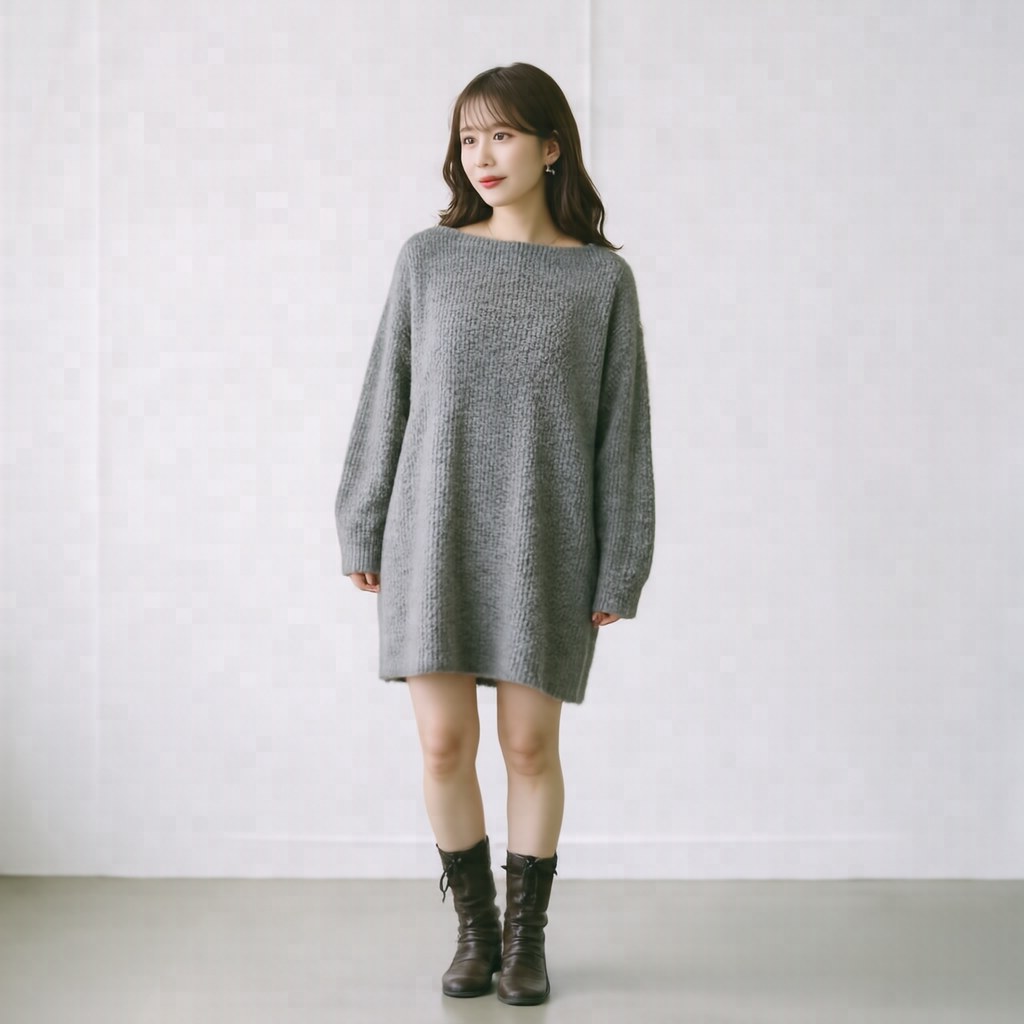
Result: Major improvement. Background becomes a clean white studio, outfit is preserved, pose looks natural. Removing the bg ref made the biggest difference. This is what a correct try-on output should look like.
E — 4 refs + numbered-ref prompt
curl -X POST http://localhost:8895/generate/skeleton -d '{
  "prompt": "Full body try-on photograph. Subject: the woman from image 1. Pose: identical to the skeleton in image 2. Wearing: the gray oversized knit sweater dress shown in image 3, brown leather ankle boots shown in image 4. Studio lighting, plain background.",
  "ref_image_paths": ["face","openpose","part_1","part_2"],
  "shift": 2.0, "seed": 42
}'
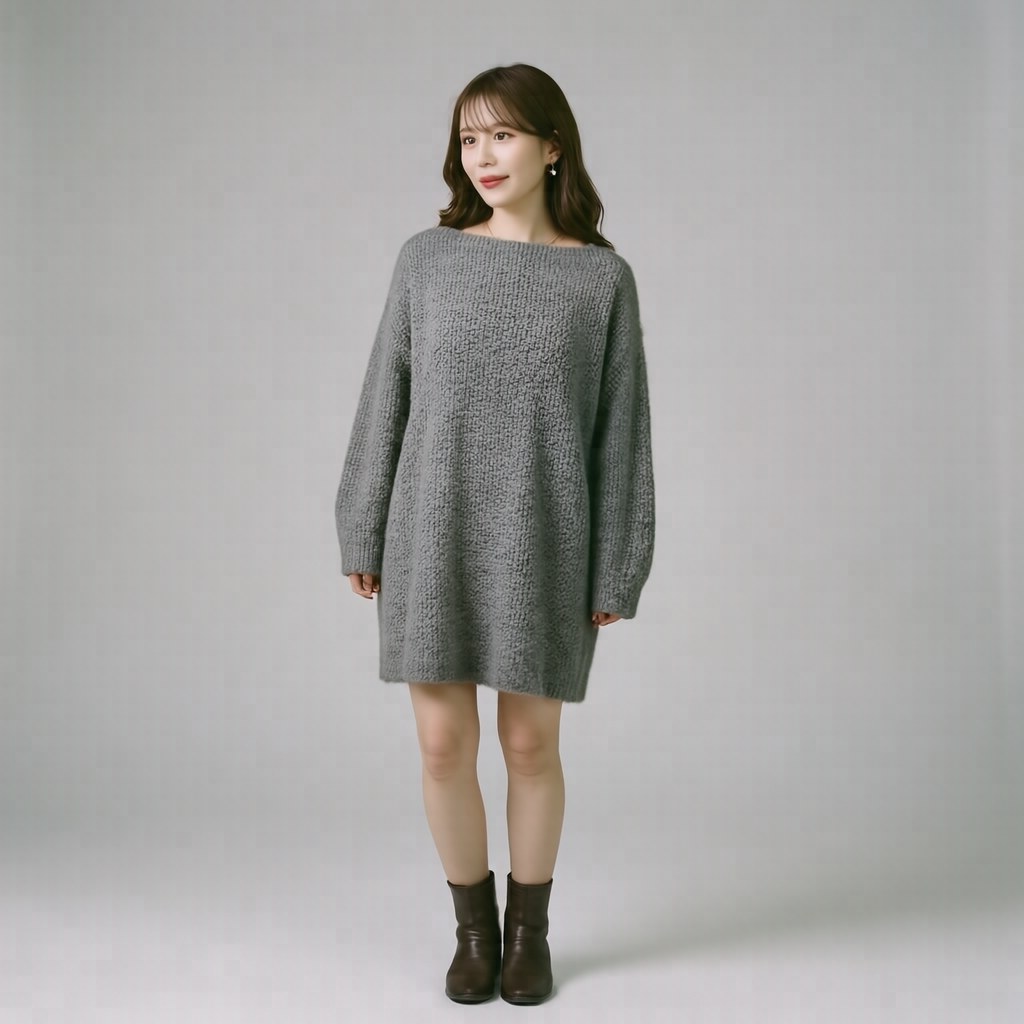
Result: Quality on par with D; boots reflected (somewhat subtly). Numbering refs in the prompt does help, but the effect isn't dramatic.
F — Drop openpose, specify pose via prompt
curl -X POST http://localhost:8895/generate/skeleton -d '{
  "prompt": "Full body photograph of the woman wearing the gray sweater dress and brown ankle boots, dynamic dancing pose with both arms raised above her head, joyful expression, photo studio with white seamless background, professional lighting.",
  "ref_image_paths": ["face","part_1","part_2"],
  "shift": 2.5, "seed": 42
}'
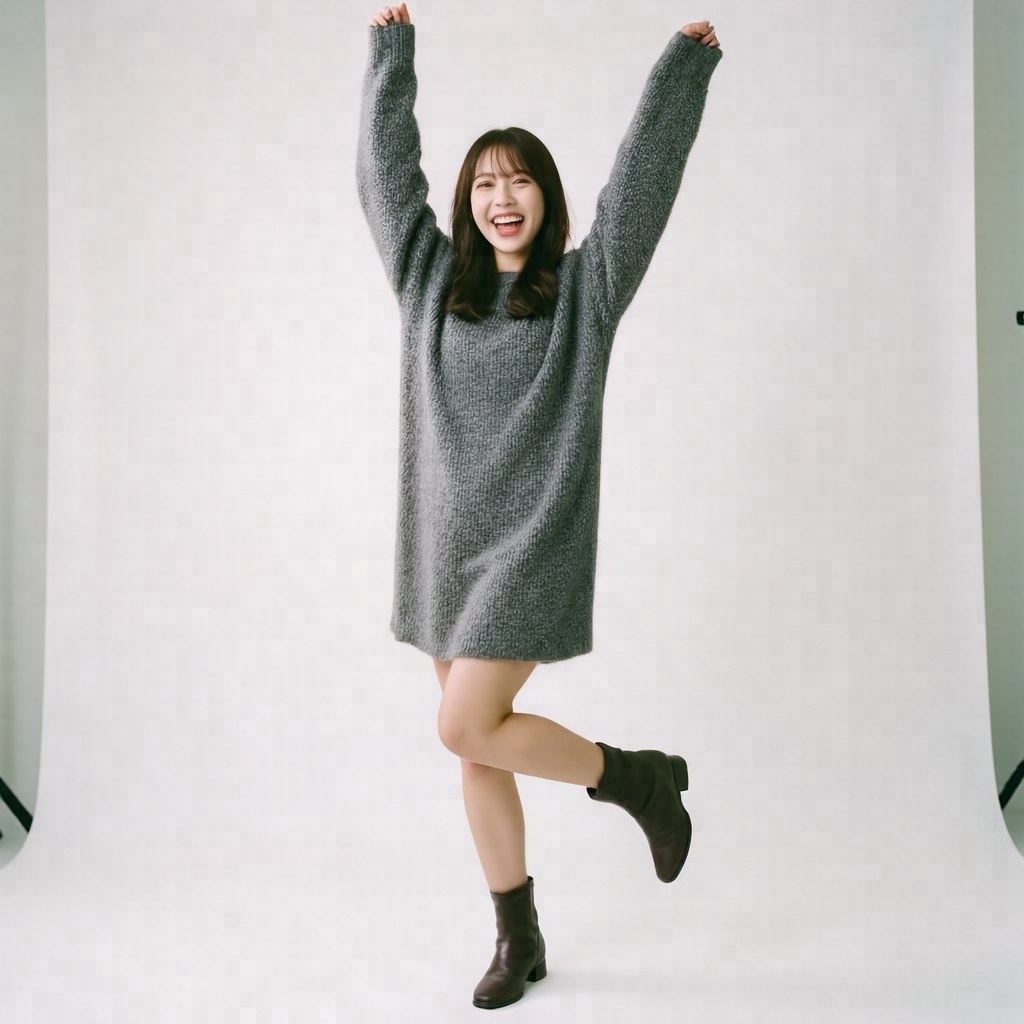
Result: 🏆 Both-arms-raised jump, complete success. Dynamic motion only appeared when the openpose ref was removed and the pose was specified purely via prompt. This confirms that the openpose ref suppresses prompt-driven pose.
G — Face only + freeform prompt (full outfit swap)
/generate/skeleton has a minimum-2-refs validation, so using /generate/ip:
curl -X POST http://localhost:8895/generate/ip -d '{
  "prompt": "Elegant full-body portrait of the woman wearing a vibrant red sequined evening gown with a thigh-high slit, standing confidently with one hand on her hip, soft cinematic lighting, dark blurred background.",
  "ref_image_paths": ["face"],
  "shift": 3.0, "seed": 42
}'
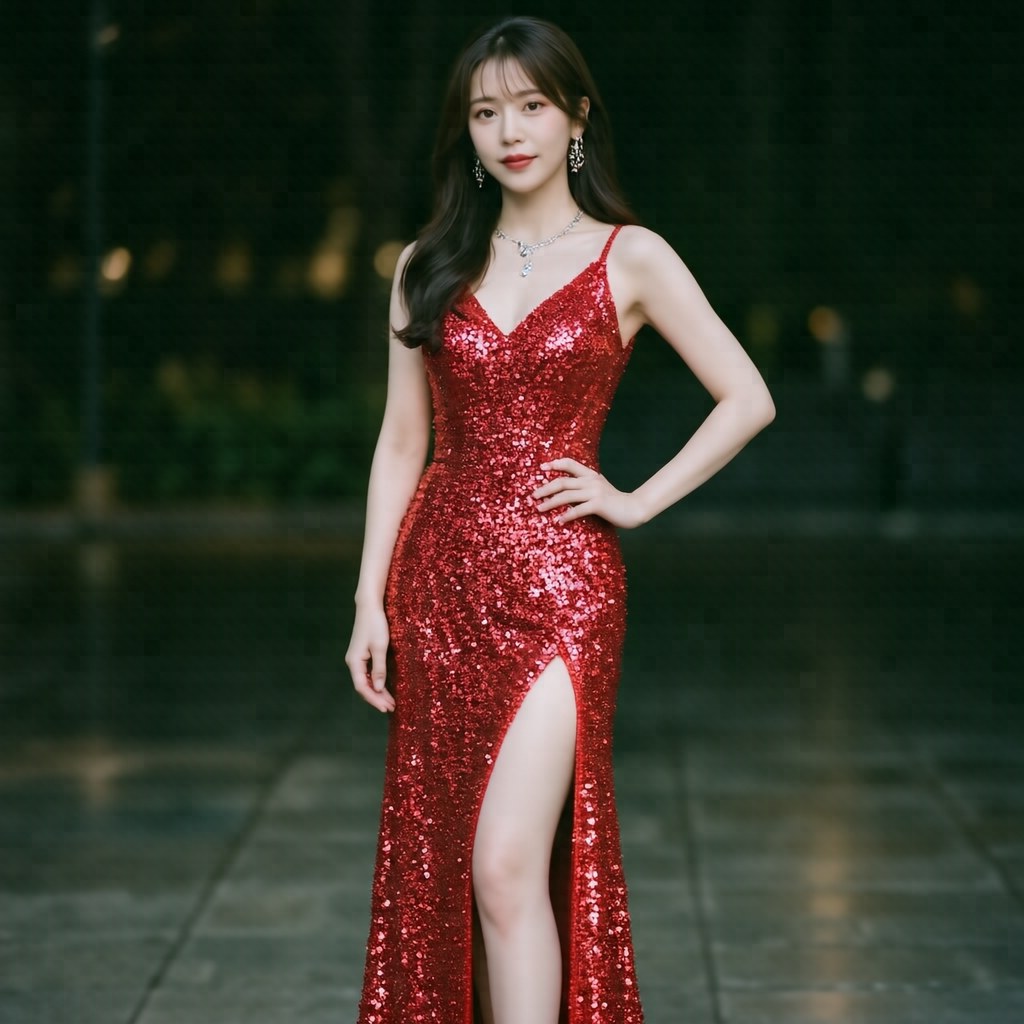
Result: 🏆 Red evening gown generated perfectly. Facial identity preserved; everything else is free. Face-only + shift=3.0 is the maximum-freedom pattern.
H — Same config as E, seed=999 (variance check)
curl -X POST http://localhost:8895/generate/skeleton -d '{
  "prompt": "Full body try-on photograph. ...",
  "ref_image_paths": ["face","openpose","part_1","part_2"],
  "shift": 2.0, "seed": 999
}'
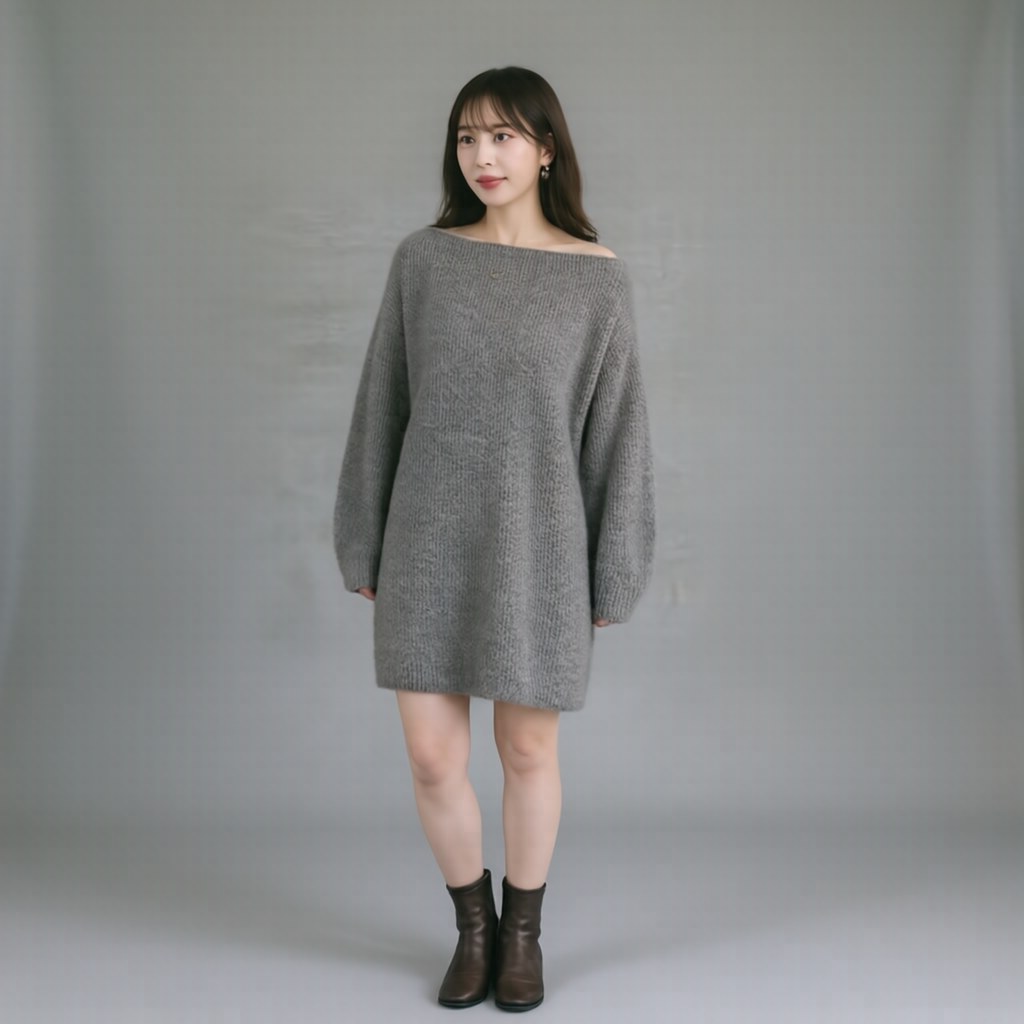
Result: Marginal difference from E; boots come out more clearly brown. Varying the seed is useful for fine-tuning details, so in production, running 3–5 seeds and picking best-of-N is standard practice.
Layout Mode Quick Look (3 Bonus Patterns)
layout_bboxes lets you specify where multiple subjects appear in the image using relative coordinates [x1, x2, y1, y2]. Here's the actual behavior.
Input refs are face photos of two people (female, male):
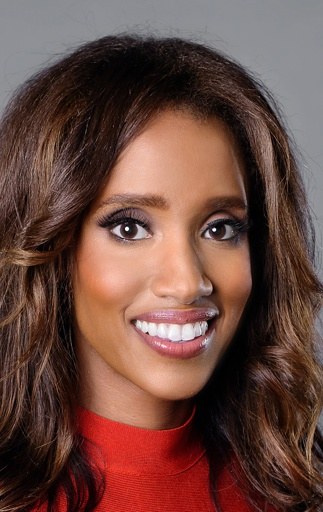
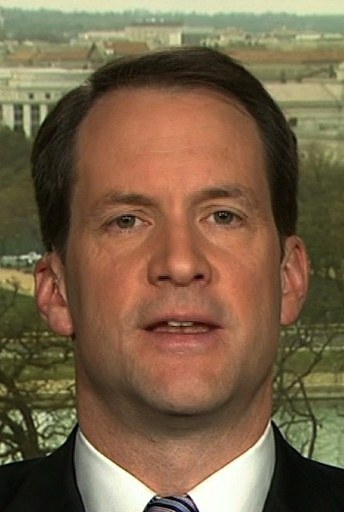
L1 — Side by side (female left, male right)
"layout_bboxes": "[[0.0,0.5,0.1,0.95],[0.5,1.0,0.1,0.95]]"
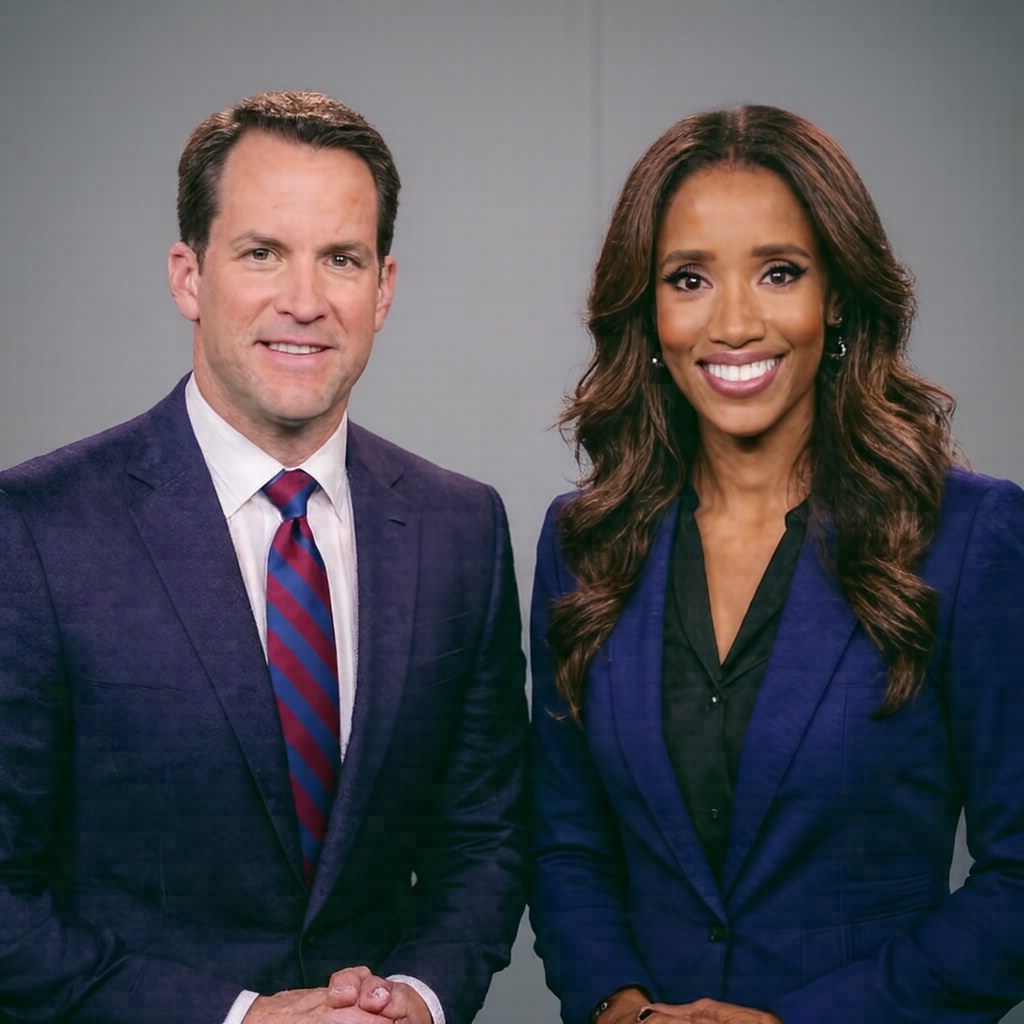
Result: Left and right were swapped (male left, female right). Correspondence between ref order and bbox order is not guaranteed.
L2 — Top/bottom split (female top, male bottom)
"layout_bboxes": "[[0.2,0.8,0.0,0.5],[0.2,0.8,0.5,1.0]]"
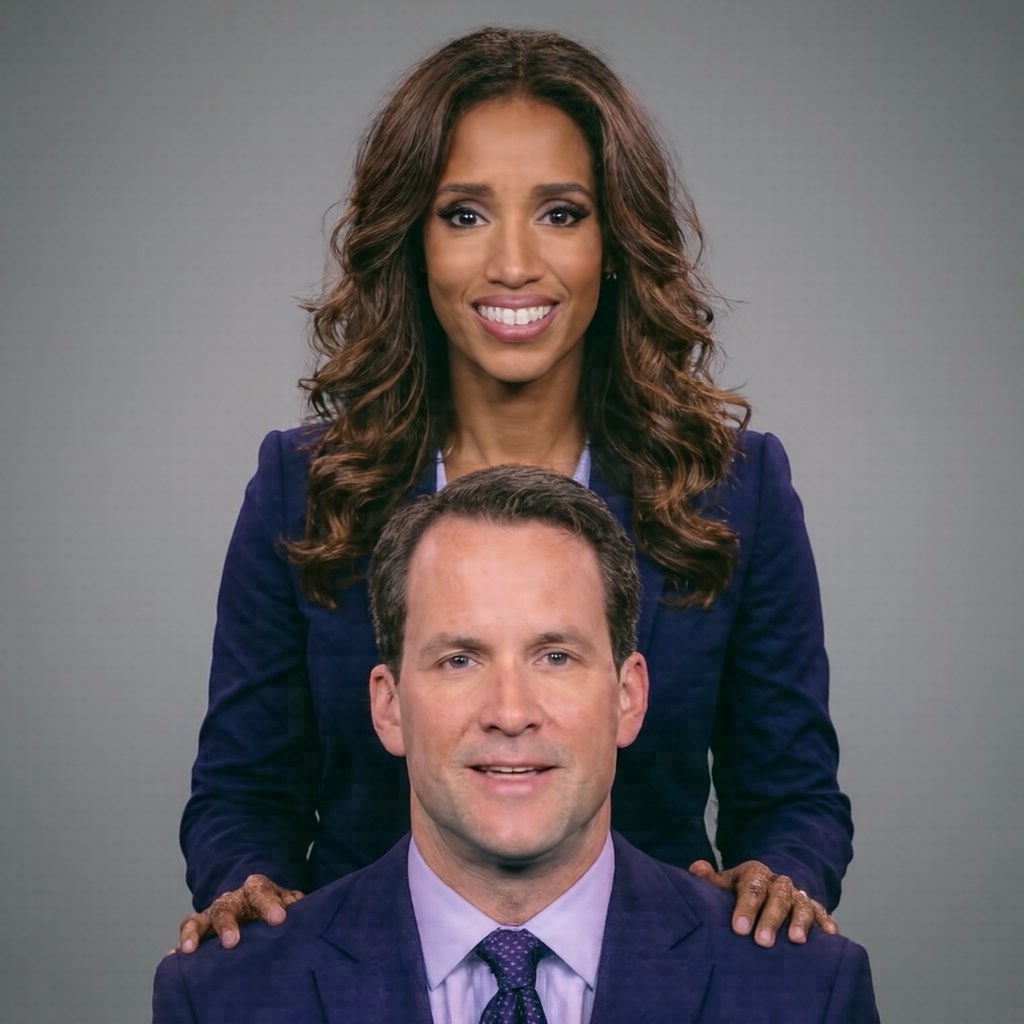
Result: Female appears in the background, male in the foreground — a depth-layered composition rather than a literal top/bottom split.
L3 — Size difference (female large, male small)
"layout_bboxes": "[[0.1,0.65,0.1,0.95],[0.7,0.97,0.05,0.45]]"
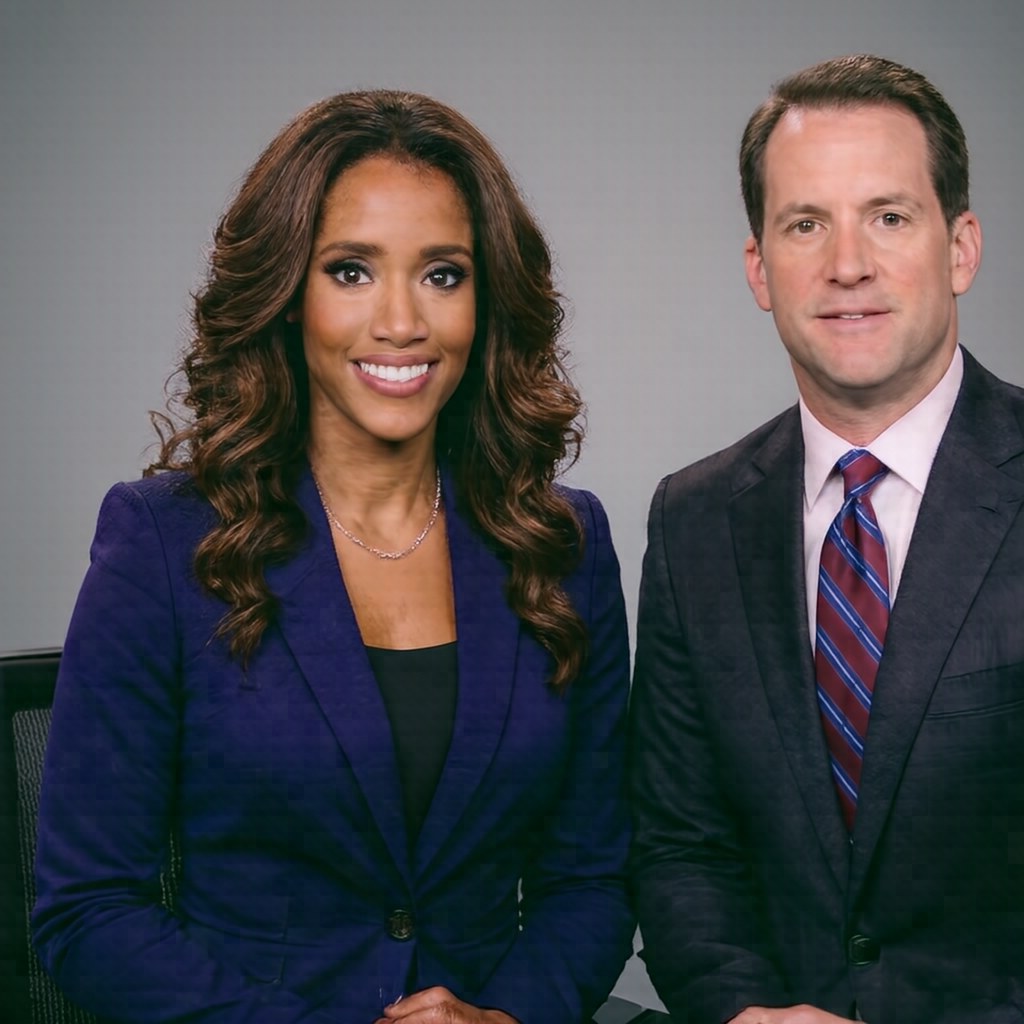
Result: Both subjects rendered at nearly the same size, side by side. Bbox size does not control relative scale.
→ Think of layout mode as a loose composition hint for group shots, not precise Photoshop-style placement. It gives a rough suggestion for fitting multiple subjects into a single image; don't expect coordinate accuracy.
Why This Happens — Reading pipeline.py
HiDream's behavior is governed by the generate_image() function in models/pipeline.py. Three structural facts explain everything.
1. More refs = lower per-ref resolution
pipeline.py:198-202:
if K == 1: max_size = max(height, width)         # 2048
elif K == 2: max_size = max(height, width) * 48 // 64   # 1536
elif K <= 4: max_size = max(height, width) // 2  # 1024
elif K <= 8: max_size = max(height, width) * 24 // 64   # 768
else: max_size = max(height, width) // 4         # 512
Feeding 6 refs compresses each to 768px. Thin openpose lines, fine clothing patterns, and facial detail all get crushed. Keeping it to 3–4 refs preserves 1024px and retains that detail.
2. Skeleton mode has no dedicated code path
Looking at pipeline.py:178-275, there is no skeleton-specific branch. Both /generate/skeleton and /generate/ip run through exactly the same multi-ref path:
content = [{"type": "image"} for _ in range(K)]
content.append({"type": "text", "text": caption})
messages = [{"role": "user", "content": content}]
The model receives no role hints indicating which ref is a face, which is an openpose skeleton, and which is clothing. All refs are treated as "K reference images in parallel." If you want roles to matter, you have to say so explicitly in the prompt text.
This is why "prompt beats openpose ref." The openpose ref is processed as "some line-art image among the references," with no explicit signal that it's a pose specification. Meanwhile, dynamic dancing pose with both arms raised in the prompt is parsed as explicit verbs and nouns at the vocabulary level.
3. How the shift parameter behaves
shift controls the noise schedule strength of the scheduler. In practice:
- 1.0 = maximum fidelity to ref composition, zero freedom → try-on only
- 2.0-2.5 = practical range, allows deviation from refs
- 3.0+ = near-freeform generation, refs serve only as identity anchors
The README recommends 1.0 for IP/Skeleton/Layout because it assumes the typical try-on / character-consistency use case. If you want to change the pose, swap outfits, or build a new scene that differs from the refs, 2.0+ is required.
Best Practices by Use Case (Battle-Tested)
| Goal | Endpoint | Refs | Shift | Notes |
|---|---|---|---|---|
| Faithful try-on matching original scene | /skeleton | 6 (face+bg+pose+3parts) | 1.0 | README default. Strongly faithful to all refs |
| Preserve outfit + natural standing pose | /skeleton | 3-4 (face + clothing, no bg/pose) | 2.0 | Dropping bg ref gives white studio; fewer refs keep each at 768→1024px |
| Dramatic pose change | /skeleton | 3 (no openpose) | 2.5 | Prompt controls motion better than openpose ref |
| Complete outfit swap | /ip | 1 (face only) | 3.0 | Maximum freedom; only face is preserved. Skeleton mode rejects < 2 refs |
| Group shot | /layout | Multiple face refs + rough bboxes | 1.0 | Bboxes are loose composition hints; size hierarchy doesn't work; ref↔bbox order not guaranteed |
| Fine detail optimization | Same config | Same | Same | Run 3–5 seeds and pick best-of-N |
Summary
Treating HiDream-O1-Image's skeleton mode as a "try-on simulator" leads to the frustrating feeling that "it won't listen" — with no guardrails to blame. The real cause is pipeline structure: refs lose resolution as count increases, there's no skeleton-specific processing, and shift controls how hard the refs pull.
Practical takeaways:
- Try-on: 6 refs full + shift 1.0 (README default)
- Changing the pose: drop openpose ref + verb-describe the pose in prompt + shift 2.5
- Completely free scene creation: face only + shift 3.0 +
/ipendpoint
Layout mode also makes sense once you understand it as "group photo hint" rather than "precise bbox placement."
All assets and commands used in this benchmark come from the HiDream-O1-Image repository's assets/IP_skeleton/ and assets/IP_layout/ directories, so results are fully reproducible. Varying shift and ref count alone produces dramatically different behavior — it's a good sandbox for developing intuition quickly.
Addendum: What Happens When You Change the OpenPose Ref — "Prompt Always Wins" Has Conditions
After publishing, I ran additional tests on what happens with a different-shaped openpose ref, and the original conclusion needed revision.
Modified OpenPose Refs (4 Patterns)
I took the original openpose image (0.openpose.jpg, standing pose), flipped it vertically and rotated it 90 degrees to create "unnatural poses," then specified a normal standing pose in the prompt.
| Modification | Image |
|---|---|
| Vertically flipped (upside-down) | 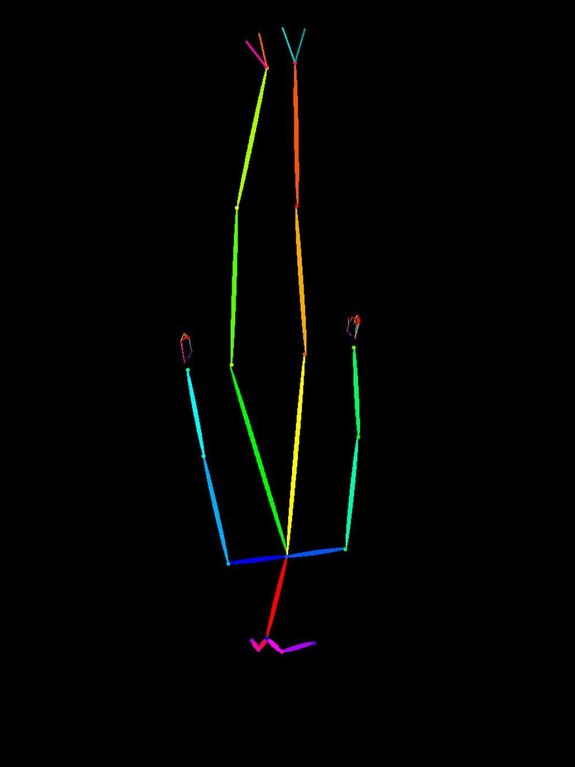 |
| 90° rotated (lying sideways) | 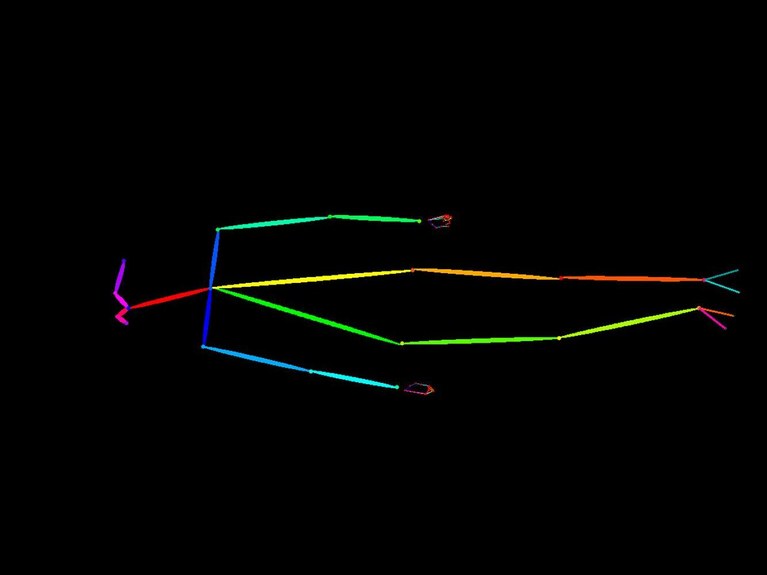 |
| Test | OpenPose Ref | Prompt | Result |
|---|---|---|---|
| O1 baseline | Original (standing) | Standing pose | 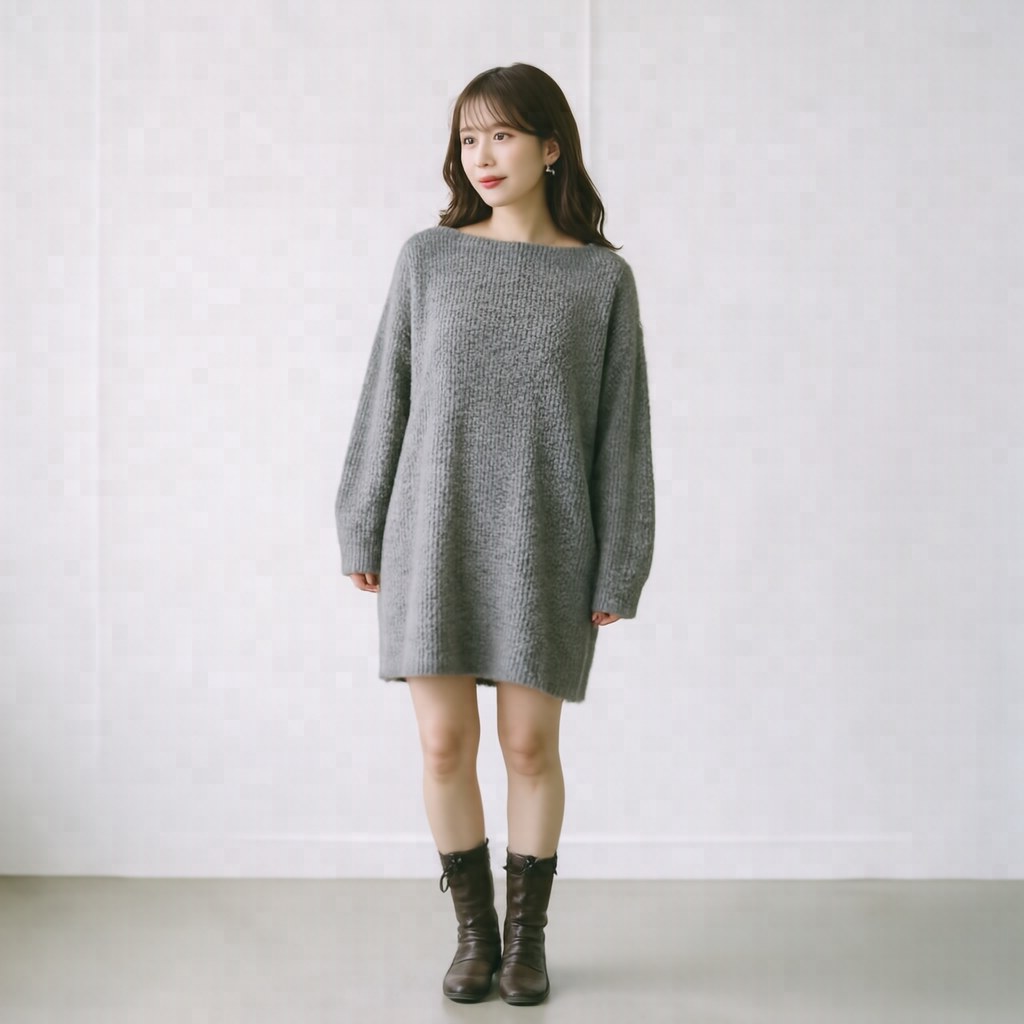 Standing pose as expected Standing pose as expected |
| O2 | 🙃 Vertically flipped | Standing pose | 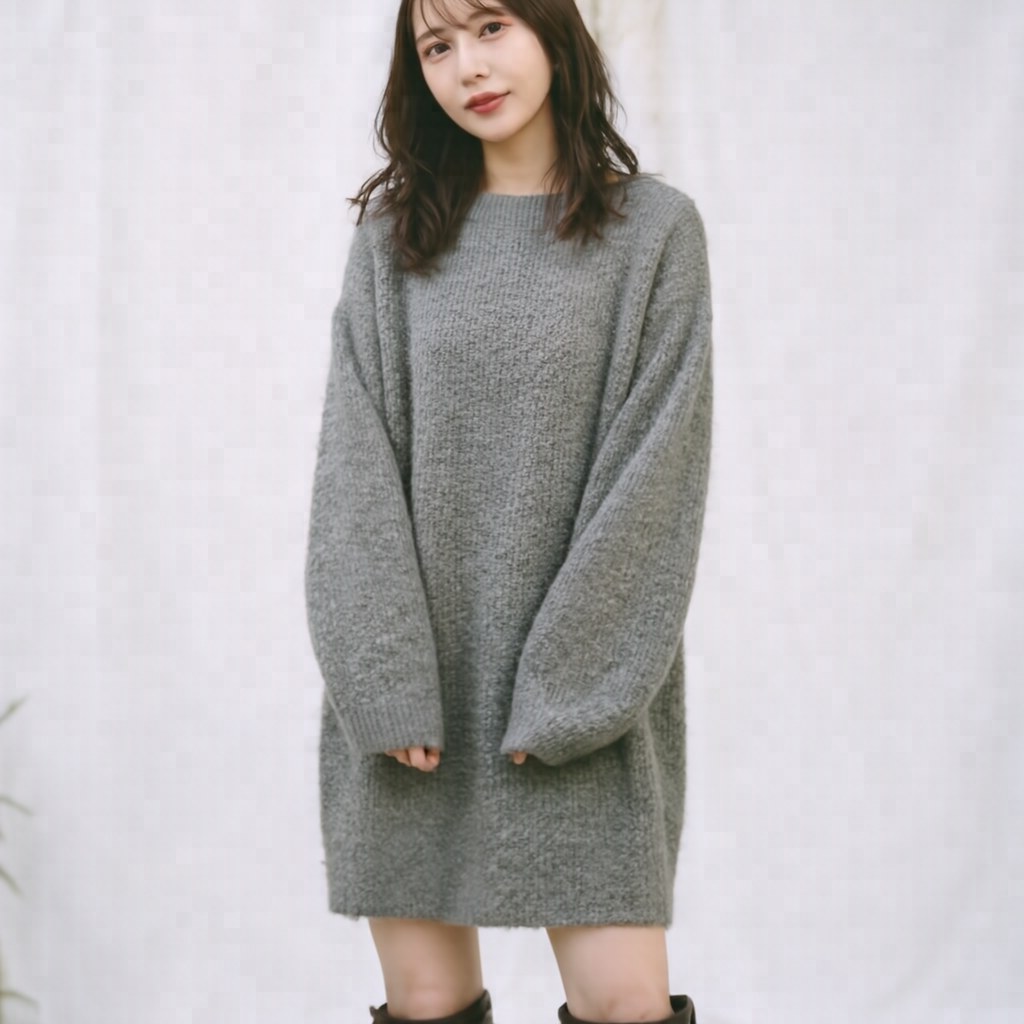 Standing pose (openpose ignored, prompt wins) Standing pose (openpose ignored, prompt wins) |
| O3 | 🙃 Vertically flipped | Jumping | 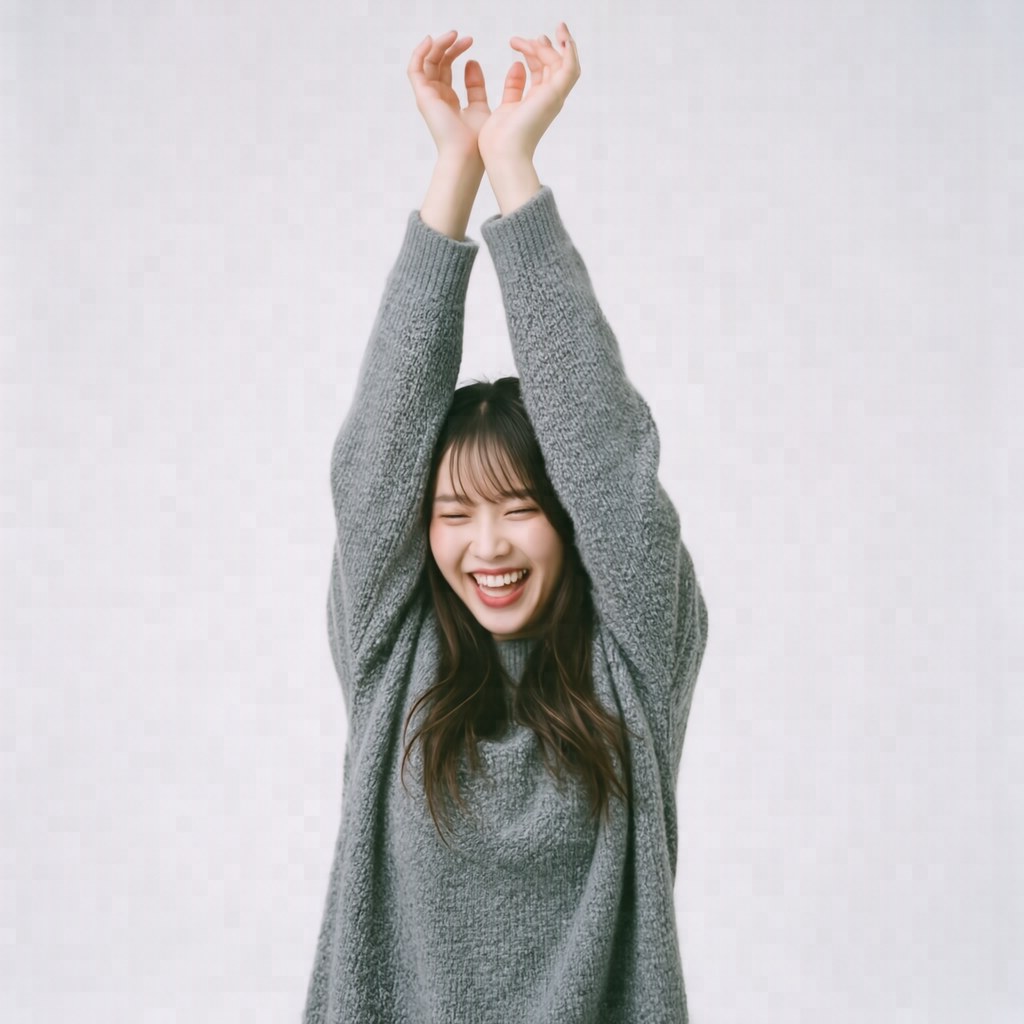 Both-arms-raised jump (openpose ignored, prompt wins) Both-arms-raised jump (openpose ignored, prompt wins) |
| O4 | ↻ 90° rotated | Standing pose | 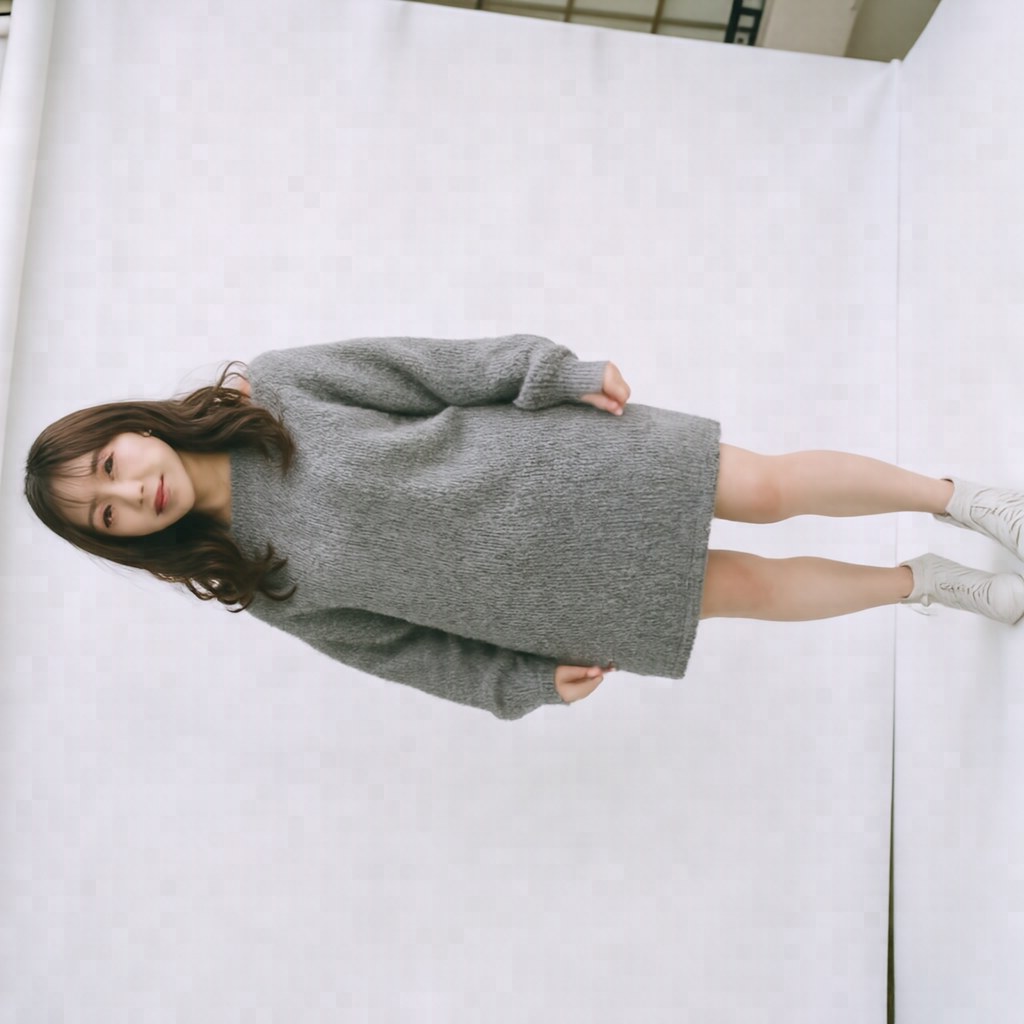 Standing pose but canvas itself rotated 90°! Standing pose but canvas itself rotated 90°! |
Up to this point the findings were: "The model rejects unnatural refs and falls back to the prompt" and "overall compositional orientation (portrait vs. landscape) can still be influenced by the ref."
But a Dramatic Ref + Pose-Silent Prompt Led to Complete Ref Victory
I generated a "colorful anatomical skeleton with arms spread in a T-shape and one leg raised high in a tree yoga pose" via HiDream's T2I and fed it as a ref:
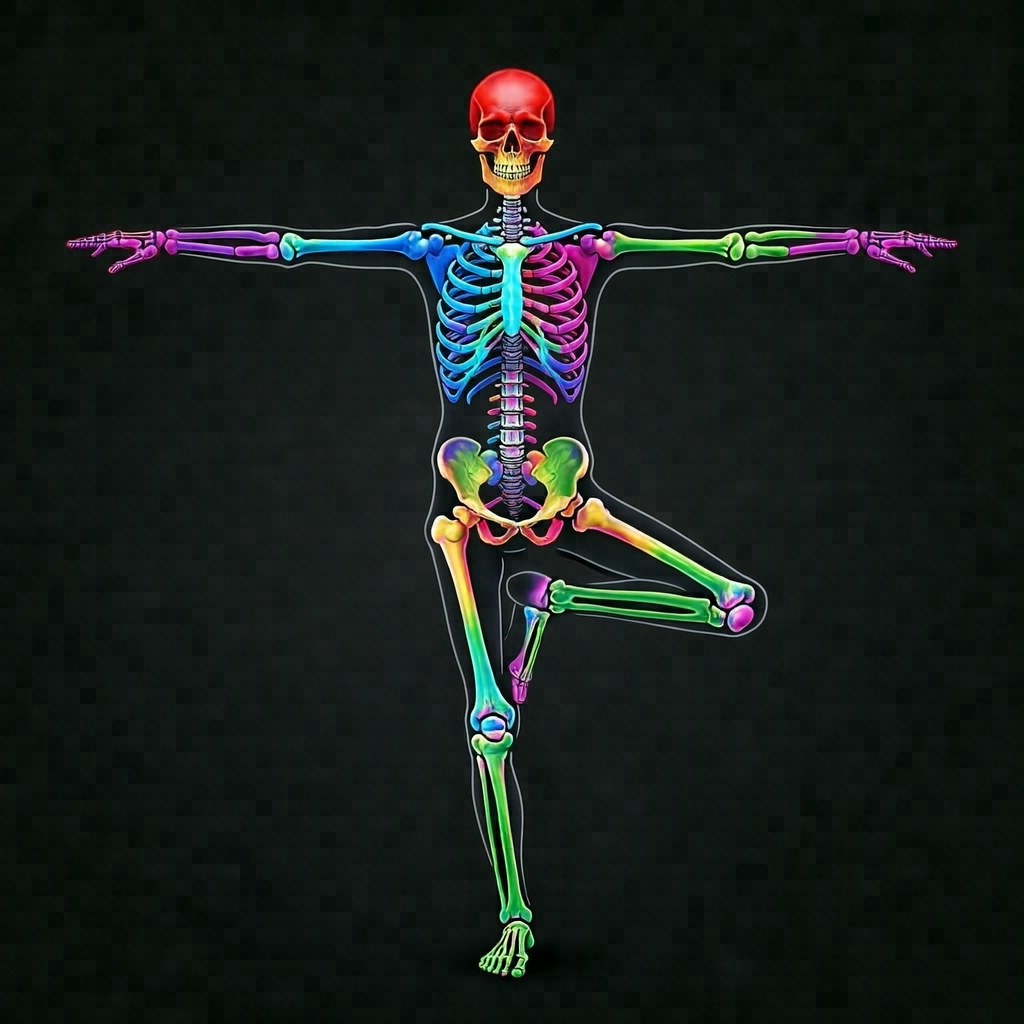
Prompt mentions no pose at all — only subject and clothing:
curl -X POST http://localhost:8895/generate/skeleton -d '{
  "prompt": "Full body photograph of a young Asian woman wearing a gray sweater dress, soft natural lighting, white studio background.",
  "ref_image_paths": ["face","SYNTHETIC_WARRIOR_SKELETON","sweater"],
  "shift": 1.0, "seed": 42
}'
Result:
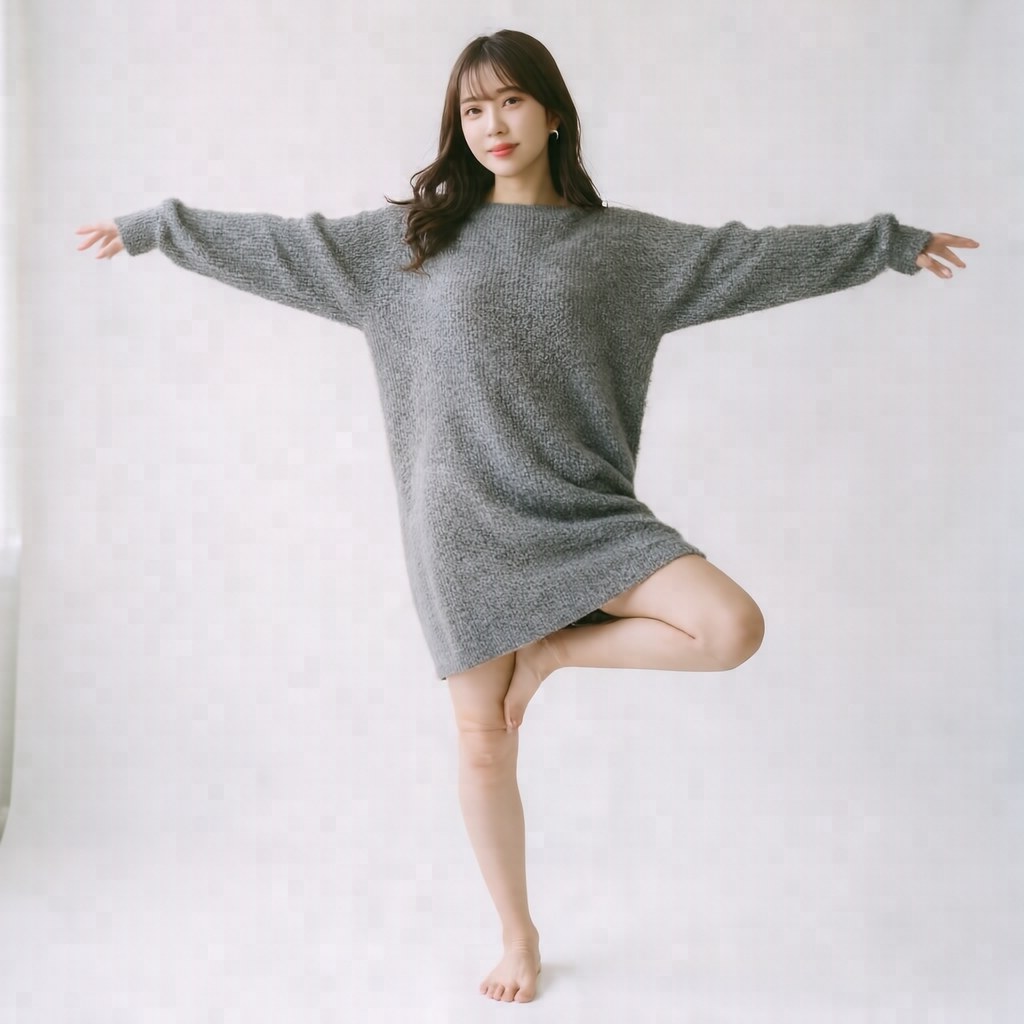
The tree yoga pose reproduced perfectly — T-shaped arms and single-leg stance, matching the skeleton ref exactly.
Revised Conclusions (3 Rules)
Synthesizing all 12 patterns, HiDream actually behaves like this:
- If the prompt mentions a pose, that takes first priority — prompt wins even when it contradicts the ref.
- If the prompt says nothing about the pose, the ref's pose is adopted — the more dramatic the ref, the clearer the transfer.
- If the ref appears "unnatural" (upside-down skeleton, etc.), the model defaults to a natural stance — though overall compositional orientation can still bleed through.
So "the openpose ref is basically useless" was an overstatement. More precisely: "when the prompt describes a pose, the ref gets overridden." The 8-pattern benchmark was all scenarios where the prompt specified dynamic motion, so it looked like the openpose ref was powerless.
Practical Impact
- To fully control pose via ref: don't mention pose in the prompt + use a dramatic openpose/skeleton ref → ref pose transfers
- To control pose via prompt: removing the openpose ref is fine (even if you leave it in, the prompt overrides it)
- When ref and prompt conflict: prompt wins (including the ref doesn't help)
You can effectively choose whether pose comes from the ref or the prompt by whether or not you mention the pose in the prompt. If you want the openpose ref to drive the pose, keep pose description out of the prompt.
Related:
- HiDream-O1-Image: https://huggingface.co/HiDream-ai/HiDream-O1-Image
- Repository: https://github.com/HiDream-ai/HiDream-O1-Image