Introduction
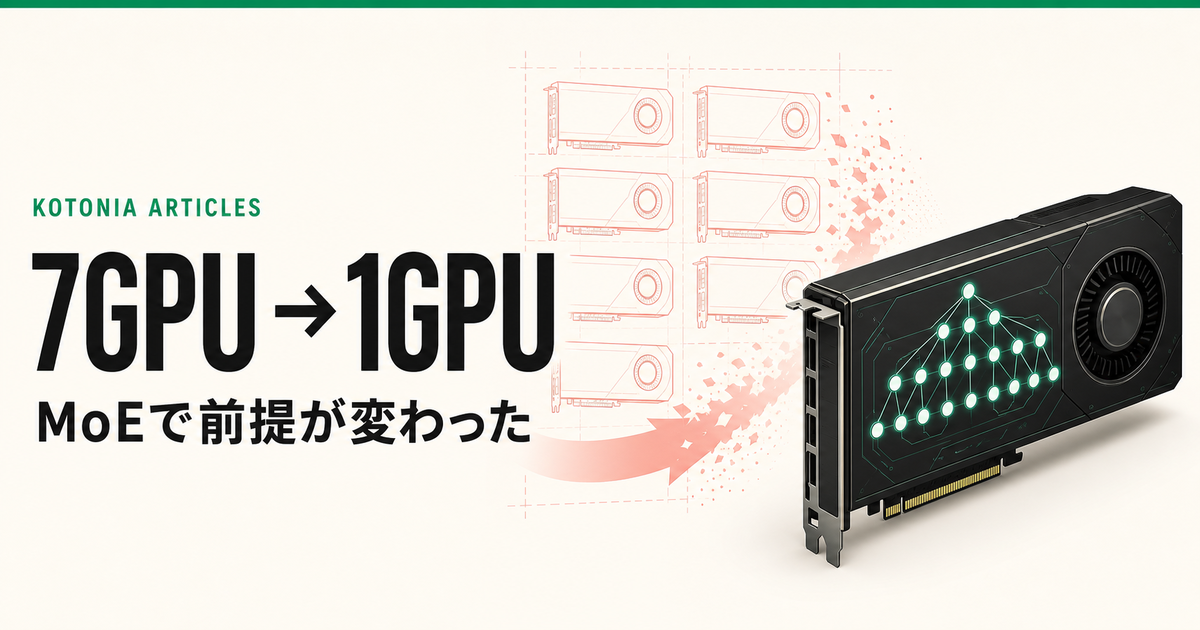
I was about to procure a machine that could hold 7 GPUs.
Running a frontier-class local coding agent needs a chassis that can scale to at least 4 GPUs. Alongside it, I also run image generation, video generation, TTS, and lip-sync. Add all that up, and a consumer PC's expansion slots aren't enough — I landed on a workstation-class machine with 7 GPU slots.
But the retail price of the memory that configuration needed turned out to be absurd compared to consumer-grade prices. I reached out to the manufacturer; as of this writing, there has been no reply.
While waiting, the premise itself broke.
Running poolside's Laguna S 2.1 NVFP4 on a single RTX PRO 6000 Blackwell Max-Q, its official benchmarks put it at DeepSeek V4 Pro-class coding-agent performance, and it also completed my own repo-repair task. And since it's an MoE, it's fast too.
I had been asking "how do I fit an LLM across 4 GPUs?" That turned into a different question: "how do I isolate an LLM that fits on a single GPU from voice and batch generation?"
This article isn't really about introducing a new model — it's a record of how a model's progress changed the hardware procurement plan itself.
Verified on July 23, 2026. Laguna S 2.1 had just been released, and the checkpoint was updated even during verification. The numbers may change in the future.
Why I Thought I Needed 7 GPUs in the First Place
Kotonia doesn't just run a chat LLM.
- LLMs for character conversation and coding agents
- Streaming voice generation via Qwen3-TTS
- Real-time talking-head avatars via Ditto
- Image generation/editing via the HiDream family
- Video generation via the LTX-2 family
- A parking lot for experimental models and production fallbacks
The current machine pairs a 96GB RTX PRO 6000 Blackwell Max-Q (GPU 0) with a 24GB RTX PRO 4000 Blackwell (GPU 1). Even at production idle, GPU 0 uses about 72.8 GiB for image/video/local-LLM workloads, and GPU 1 uses about 19.2 GiB for the voice stack.
What I chose to keep resident on 96 GB and what I offloaded to APIs is documented in my earlier write-up on running a 96 GB GPU. Even then, the design center wasn't just VRAM capacity — it was dividing workloads by role.
Try to add a frontier-class LLM on top of that, and you're forced to assume the model gets split across multiple GPUs. Once you budget at least 4 GPUs for the LLM and try to physically separate the other generation workloads too, landing on a 7-GPU chassis wasn't an outlandish conclusion.
A single chassis also has real advantages: fast inter-GPU interconnect, shared storage, unified power management. If I ever run an even bigger model with tensor parallelism, I still think it's the right call.
But that judgment depended on one premise: that the LLM performance I wanted couldn't fit on a single GPU.
117.6B Total, But Only 8.5B Active Per Token
Laguna S 2.1 is an MoE model with 117.6B total parameters and 8.5B active parameters per token. The NVFP4 checkpoint itself is about 67 GiB, so a 96GB GPU can run it standalone, KV cache included.
The configuration I used:
| Item | Configuration |
|---|---|
| GPU | RTX PRO 6000 Blackwell Max-Q 96GB / SM120 |
| Model | Laguna S 2.1 NVFP4 |
| vLLM | 0.25.1 |
| PyTorch | 2.11.0+cu130 |
| FlashInfer | 0.6.13 |
| Context | 64K |
| Max sequences | 4 |
| MoE backend | FLASHINFER_CUTLASS |
| Attention decode | flashinfer-native |
| KV cache | FP8 E4M3 |
I didn't touch the existing production vLLM 0.24.0; instead I set up a dedicated venv running 0.25.1 just for Laguna. I used the official vLLM recipe as a baseline, but on this GPU I specified sm_120a instead of the DGX Spark-oriented sm_121a.
Loading the weights onto the GPU took about 15 seconds, but the first engine initialization took 957.49 seconds — about 811 seconds of that was Blackwell kernel profiling and cold JIT. Once the cache existed, restarting with the same 64K / 4-way concurrency configuration dropped to 47.35 seconds.
In other words, the "it won't start" feeling right after install wasn't a failure. But it doesn't play well with workflows that discard containers every run or update the environment frequently.
Can I Actually Trust the Official Benchmarks?
The main agentic benchmarks on the model card, as of July 21, 2026:
| Benchmark | Laguna S 2.1 | DeepSeek V4 Pro Max |
|---|---|---|
| Terminal-Bench 2.1 | 70.2 | 64.0* |
| SWE-bench Multilingual | 78.5 | 76.2 |
| SWE-Bench Pro | 59.4 | 55.4 |
| DeepSWE | 40.4 | 9.0* |
| SWE Atlas | 46.2 | 27.2* |
| Toolathlon Verified | 49.7 | 55.9* |
* marks third-party evaluations rather than the model provider's own numbers. Laguna's side also publishes its execution trajectories.
Taken at face value this looks revolutionary, but reading it as "Laguna is as smart as V4 Pro in every sense" would be a mistake. What these numbers mainly demonstrate is the ability to read code, use tools, and fix a repository across multiple steps.
So locally, I measured short-answer accuracy, strict formatting, long-context retrieval, tool calls, code generation, and real repo repair via a CLI agent as separate axes.
My Own Lightweight Benchmark
The comparison target was ThinkCap, the model I'd been using as my local LLM. Both were served as OpenAI-compatible APIs via vLLM, and I sent them identical prompts.
Speed
| Task | ThinkCap | Laguna S 2.1 |
|---|---|---|
| code-chat | 111.0 tok/s / TTFB 87ms | 97.5 tok/s / TTFB 26ms |
| character-chat | 65.1 tok/s / TTFB 91ms | 99.8 tok/s / TTFB 31ms |
| studio-enhance | 104.1 tok/s / TTFB 87ms | 98.1 tok/s / TTFB 30ms |
| concurrent x4 | 185.5 tok/s aggregate | 267.9 tok/s aggregate |
| concurrent x4 median TTFB | 3356ms | 50ms |
For a single code-chat request alone, ThinkCap is slightly faster. But on character chat and 4-way concurrency, Laguna pulled far ahead. In particular, the 4-way aggregate of 267.9 tok/s and a median TTFB of 50ms aren't the behavior you'd expect from a model with 117.6B total parameters.
An MoE has to keep the whole model in VRAM, but it doesn't compute all parameters on every token. VRAM is heavy, but compute is light. Paired with a 96GB GPU, that property showed up exactly as expected.
Capability
| Evaluation | ThinkCap | Laguna S 2.1 |
|---|---|---|
| Lightweight tasks | 5/6 | 6/6 |
| Extended capability benchmark (strict grading) | 19/28 | 12/28 |
| Long-context needle | 2/2 | 2/2 |
| Tool use | 3/3 | 3/3 |
| Code generation | 2/3 | 3/3 |
| kotonia-cli repo repair (incl. hidden tests) | 11/12 | 12/12 |
At first glance, 12/28 on the extended capability benchmark looks pretty bad. Looking closer, there were two distinct kinds of misses.
One was a format violation: for a question that specified "just the integer," it added an explanation instead. Of 4 questions where reasoning was enabled, all 4 were semantically correct but scored 0/4 under strict exact-match. The other was a genuine wrong answer — on code tracing, combinatorics, state management, and the like.
So it would be wrong to judge the whole model as weak purely on format violations, and it would be just as wrong to count semantically-correct answers as a perfect score. What this result shows is that Laguna isn't an all-purpose model that's good at short instruction-following — it's a model whose capability is skewed toward code generation, tool use, and long agentic work.
A Perfect Score on kotonia-cli
The task I weighted most heavily was handing kotonia-cli a small, broken Python repo and having it fix multiple files.
The task had these traps built in:
- Stripping whitespace and normalizing case in SKUs
- Merging inventory when multiple rows normalize to the same SKU
- Atomicity across the whole reservation process
- Ordering and tie-breaking for sales aggregation
- Inclusive boundary handling for discount thresholds
- Round-half-up instead of banker's rounding
The agent could see 6 tests. Including hidden tests added afterward, the total was 12.
ThinkCap scored 11/12. It failed to pre-merge multiple reservations that normalize to the same SKU, dropping one atomicity case under insufficient inventory.
Laguna scored 12/12 in 10 iterations and 91 seconds. It even used Decimal and ROUND_HALF_UP, and passed the hidden test for duplicate SKUs too.
One small task doesn't generalize. Still, a model that was clumsy on short-answer benchmarks clearly won on the CLI agent task. Seeing this, I judged that the official coding-agent benchmarks are, at minimum, likely a fair representation of what this model is actually good at.
36K Context and a Long Prefill
A needle-in-a-haystack task — finding a specific ID among 1,200 records — succeeded with an input of 36,079 tokens, and the whole request took 3.17 seconds.
The number alone is plenty fast. But when running alongside real-time voice, what matters isn't average speed — it's the momentary load of prefill.
For a history as short as a character chat, Laguna's ~30ms TTFB is essentially negligible. But loading a new repo, adding a huge file, or reconstructing a conversation after compaction all produce long prefills.
On an agent's continuation turns where prefix caching kicks in, you're not recomputing the entire history every time. Still, cache misses don't disappear. As coding demand grows, it could momentarily stall Qwen3-TTS's streaming.
I Left DFlash Out This Time
Laguna also ships with a ~2.1 GiB DFlash draft model. I compared it at 15 speculative tokens, 64K context, 4-way concurrency:
| Task | Base | DFlash | Delta |
|---|---|---|---|
| code-chat | 97.5 tok/s | 124.1 tok/s | +27% |
| character-chat | 99.8 tok/s | 55.0 tok/s | -45% |
| studio-enhance | 98.1 tok/s | 93.9 tok/s | -4% |
| concurrent x4 | 267.9 tok/s | 236.7 tok/s | -12% |
DFlash helped on solo code-chat, but on short responses and under concurrency, draft overhead won out. VRAM also rose to about 91.4 GiB, leaving almost no room to run other services alongside it.
At least for Kotonia's current workload, DFlash-off is the right default. Speculative decoding isn't "new feature, therefore faster" — you have to measure it against output length, concurrency, draft acceptance rate, and whatever else is sharing the GPU.
Maybe a Second PC Is Easier Than a 7-GPU Chassis
Run Laguna alone at gpu_memory_utilization=0.9 and it naturally reserves most of the 96 GB. There's no room left to also run my current ~19 GB voice stack alongside it.
But turn DFlash off, cap context and concurrency, and bring Laguna's GPU memory utilization down to around 0.78-0.80, and the picture changes. Rough estimates suggest I can fit Laguna into about 76-78 GB, place Ditto's ~3 GB and the primary TTS's ~7 GB alongside it, and still keep 7-10 GB of headroom.
This is still a hypothesis I haven't measured yet, but I've already ordered a second RTX PRO 6000. Once it arrives, the candidate configuration looks like this:
| Role | Resident workloads |
|---|---|
| Realtime GPU | Laguna + Ditto + primary Qwen3-TTS |
| Batch GPU | Image generation + video generation |
| Existing 24GB GPU | Backup TTS, fallback target, lightweight services |
| External API | Lightweight vision, temporary offload for long prefills, frontier review |
Image understanding isn't Laguna's home turf anyway, so a lightweight vision API works fine as a sidecar. I've already built a mechanism where, while local image/video generation is stopped for GPU experiments, Studio shows a maintenance notice and switches only the safe parts over to an API.
If I can separate things this cleanly, managing one giant 7-GPU chassis actually looks messier than just setting up a second consumer-grade PC.
- CUDA, vLLM, and FlashInfer dependencies can be separated per machine
- Image/video batch load is physically isolated from real-time voice
- Blast radius from a failed experiment or a reboot is smaller
- I can power on only the machine I need
- Since the model fits entirely on a single GPU, I don't need cross-chassis GPU interconnect
Of course, there are costs: network flakiness, duplicated model caches, more things to monitor. And if I ever run a model that again doesn't fit on one GPU with tensor parallelism, the 7-GPU machine's value comes right back.
Still, the problem right now isn't connecting GPUs to each other at high speed. It has become keeping workloads with different latency requirements from getting in each other's way.
What's Actually Scary Isn't VRAM — It's Voice's p99
A model not OOMing while sharing a GPU is not the same thing as services being able to actually coexist.
The LLM, TTS, and Ditto all share SM, memory bandwidth, cache, and the scheduler. Even if average utilization looks low, a long prefill colliding with TTS generation can throw off the interval between streaming audio chunks. Even if Qwen3-TTS's average real-time factor is under 1, a handful of delayed chunks are heard by the user as stutter.
The next thing to measure isn't plain tokens/sec or average RTF.
- TTS time to first audio
- p95/p99 of the interval between voice chunks
- The gap between playable audio duration and arrival time
- Playback buffer underrun count
- Ditto's minimum fps and frame latency
- The difference between during Laguna's decode and during a long prefill
The conditions also need to be layered up: TTS alone, TTS + Ditto, TTS + Laguna decode, TTS + Laguna long prefill, and finally all of it together.
A lookahead buffer of roughly 300-500ms can absorb small jitter, but it also adds that much to conversational latency. While voice streaming is active, I could also route only short character chats locally and offload, say, new coding prefills over 8K tokens to an external API — that kind of admission control is another candidate.
I'll measure this part once the second RTX PRO 6000 arrives.
Conclusion: Don't Let a Model Dictate the Machine You Buy in Advance
This Laguna S 2.1 is quite strong, at least for coding and tool-use workloads.
- About 67 GiB of NVFP4 weights fit on a single 96GB GPU
- Character chat runs around 100 tok/s, and 4-way concurrency reaches 267.9 tok/s aggregate
- It passed a 36K-token long-context needle test
- The kotonia-cli repo repair scored 12/12, hidden tests included
- On the other hand, strict short instruction-following scored 12/28 — it's not an all-purpose model
- DFlash was, overall, slower for this workload and heavier on VRAM
The official agentic benchmark numbers seem quite trustworthy, at least in the sense of "this model is good at code and tool use." But you shouldn't extend that into general intelligence or overall conversation quality.
And the biggest thing here wasn't the model's score.
I had assumed I needed at least 4 GPUs to get V4 Pro-class agentic performance. On that premise, I went looking for a 7-GPU machine and got stuck on workstation-grade pricing. Then, thanks to MoE progress, the problem fit onto one GPU.
Once that happens, what you're optimizing for isn't GPU density anymore — it's fault isolation, voice's tail latency, and the boundary with batch processing. A big single machine might be worse than two small, separated ones.
I don't know which will happen first: the manufacturer replying with a quote, or the second GPU arriving and me finishing the coexistence benchmark.
But having the premise disappear before I ordered the 7-GPU machine was, probably, lucky.
Next up: running Laguna, Qwen3-TTS, and Ditto at the same time, and measuring how far a long prefill can wreck voice's p99.